

Photo by Mikhail Nilov, please support by following @pexel.com
Would You Look at That?
You know since the internet has been around, the threats we come across or face daily are unreal. We run the risk of catching all types of viruses, worms, malware, feelings…. well, not that last one. Feelings are dependent on what site you frequently visit, and if you pay attention to your downloads. If you don’t, you might not be alone tonight.
Now, while we are knowledgeable about some of the risks on the internet, there comes a time when we have to say “Uh, I don’t know. I’ve never seen that before, but we’ll look into it.” This is followed by someone being an adult and saying, “That’s what she said.” Real mature Eric, grow up—the joyful world of having coworkers.
However, back to the point, recently someone reached out to us to help get their computer back to normal. When they showed what was on their computer we said “Uh…holy smokes Batman, we don’t know that malware, to the Bat cave.” So, today we’re going look at what this malware is, what some of its functionalities are, and how you can remove it off your system should you be so unlucky to cross it.
Like what you’re reading so far? Consider subscribing for more.

Photo by Mikhail Nilov, please support by following @pexel.com
In today’s script, look no further than the malware called “Jangoram.” Jangoram is a browser-based malware that hijacks the current browser and replaces it with what seems to be a search engine. This malware does not come alone, once it’s downloaded, it then brings onboard other free software from the internet.
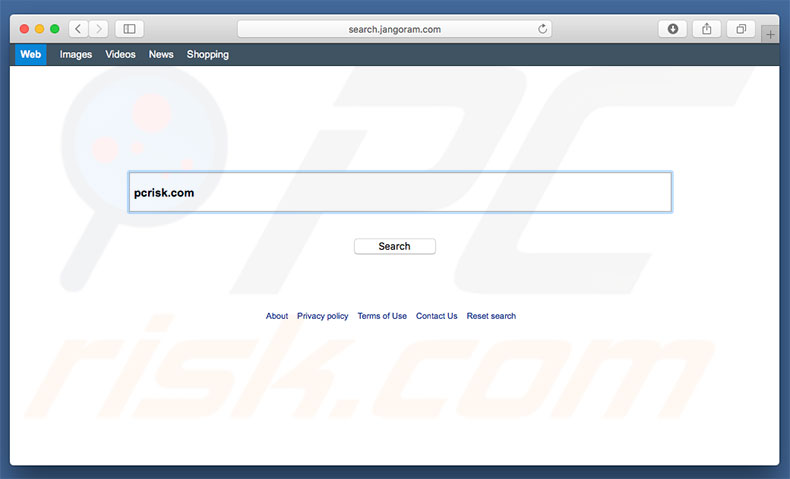
Photo credit by pcrisk.com
Hijacking browsers, how are they a problem? Well, that’s a good question reader, glad you asked. They’re a problem because while you’re using them instead of your actual browser, you run the risk of having what are called “Pups” installed onto your machine. No, you’re not installing puppies, PUPs are “Possibly Unwanted Programs”. If you look at your list of applications and see one you’re not familiar with, then you may have a PUP.
How do you get them removed you ask? Simple, by moving them to the trash and deleting them forever. If it’s on Windows, then you may have to uninstall them. Other issues that could arise are but are not limited to; adware, drive-by downloads, and in some cases being redirected to other sites.
A good way to picture this headache, try walking to your kitchen for a sandwich only to find yourself in a hedge maze with salesmen.

Photo by Keira Burton, please support by following @pexel.com
You have this on your computer, and you’re panicked, what should you do? Well, calm down, we have good news. Now, while this is malware, and has been known to be tough to remove sometimes. This would not be one of them.
A simple way, and the one with less amount of steps, is to have updated anti-virus software in place to perform scanning and removal. Since other methods can be lengthy and involve you diving into files and applications, we’re going to leave a link, click here.
Another bit of good news is this malware threat level isn’t high and someone less tech-savvy can resolve this issue. So, if you think of it, it’s so easy a caveman could do it.
If you have made it this far and found this to be informative/entertaining then consider a like, sharing, and subscribing so you can keep up-to-date.
Discover more from Scriptingthewhy.com
Subscribe to get the latest posts sent to your email.

