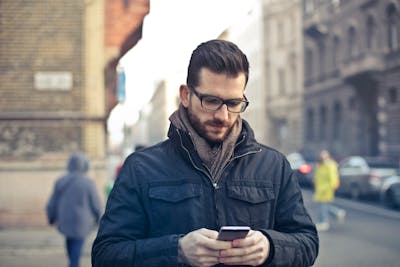
Being able to phish is important, here’s how…

Quick note: if you’re viewing this via email, come to the site for better viewing. Enjoy!

gentleman sitting down with breakfast at a laptop
A mail-order bride doesn’t sound like a bad idea after all.
Photo by Jack Sparrow, please show support by following @pexels.com

So you get an email from someone you don’t know, more likely they’re someone who promises you something that’s usually too good to be true, like in my case a nice comfy job that would pay six figures and all I had to do was work from home.

My start date is still pending. In other cases, it could be presenting you the opportunity to hold money for them because they claim to be a rich prince (or princess) with a lot of money, and they’ll reward you handsomely for completing such a task for them.

If you haven’t gotten any of these emails, you’re the lucky one out of the bunch because other people can attest to having their spam inboxes littered with these emails.

If you have ever been unfortunate enough to complete your interaction with any of these individuals, you’ll be sad to know, you’ve just been phished (and no, it’s not what you think it is).

Don’t know what I mean? Well, you’re in luck because I’ll be going over what, how, who, and more or less how you can be more aware when checking your DMs.

gentleman pointing a handgun
Hi, I’m Sarah69lover…and you’ve just been catfished.
Photo by cottonbro studio, please show support by following @pexel.com

Phishing with Dynamite

Phishing is not what the name states although it parallels and before you ask, no none of this happens with actual fish. Phishing is the act of contacting someone posing as a contact the victim may know or trust to extract money, and information, or to provide them with problematic malware.

Malware could be installed to either gather information without you knowing, wreak havoc on your computer, or simply a combination of the two.

There are a few various forms of phishing, all come with interesting versions of the original name. You have spear-phishing, whaling, smishing, vishing, and email-phishing.

Email phishing is the most common type of attack people fall victim to. In the other attacks, in a nutshell, an attacker is targeting you directly, an attacker is aiming for the most important individual in the company (more like CEO type person), an attacker tries contacting you via text with a link, and the last one is a voice call impersonating someone from a company like Microsoft.

There are two other types of attack which get even more interesting, there’s sextortion which is the attacker contacts you with a threat of revealing a recording from your webcam watching “adult time” material (been on the hub, I know that’s an actual brand, trust me I’m not proud) and search engine phishing (or SEO poisoning) where attackers prop themselves high up on the search engine only for you to click on their link and be redirected to emptying out your pockets or worse, releasing the hounds on your computer by downloading malware.

Criminals have many interesting ways of trying to get your money and that list continues to grow.

man looking with evil intentions
I never intended to rob people, but life insisted I do.
Photo by cottonbro studio, please show support by following @pexel.com

Emailing with Delicious Intent

Who are the people that do this and how could they do this to someone you might ask? Well, for one, it could be anybody, attackers come in all shapes and sizes.

That sweet old lady at the end of the street you live on who gives cookies to children with a smile and everyone in the neighborhood waves to could also be the same prince or princess seeking to pull money from your bank account.

And to the second part of your question, well, really, come on, the economy, might be a controversial thought but people would be less inclined to commit a crime if economic hardship wasn’t a thing.

Many people today are in the “have not” section of society and the cost of living rising each year applies pressure on people to venture into areas they wouldn’t have considered the year before, theft being one of them.

I’m not saying I condone it, but I understand it.
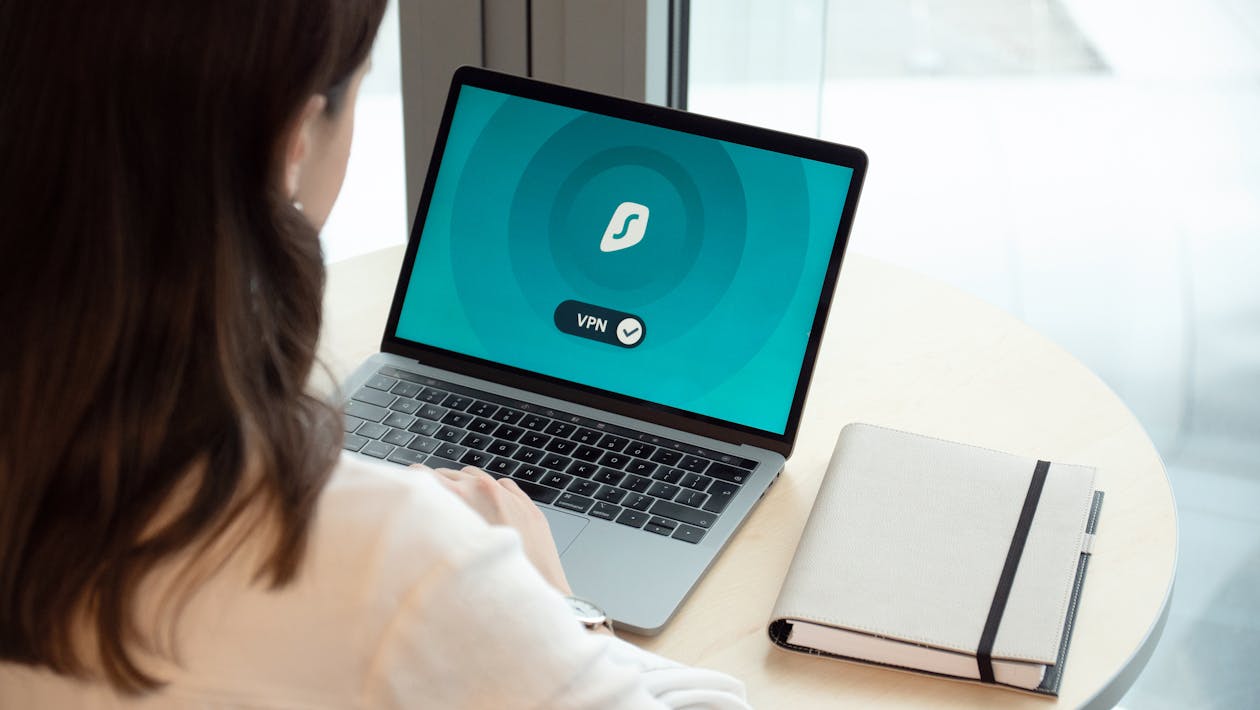
Woman seated in front of laptop
Can’t find me a date on tinder? Looks like it’s phishing time.
Photo by Dan Nelson, please show support by following @pexel.com

Two Times a Fool

You might be thinking to yourself, “who falls for this? I mean just how? Most of the emails I come across are poorly structured and or in bad English.” Well, just because you didn’t fall victim doesn’t mean your adolescent entrepreneur or Gam-gam won’t.

In fact, most victims are either in their 20s or in their mid-late 40s, so that’s either an “I’m still trying to figure it out, oh this link says it can make me rich” or “I’m about to hit a mid-life crisis and my Nigerian princess/wife is still not here.”

People who worked for big-name companies and even some big-name IT companies often become complacent and fall victim to these attacks.

So no matter what the target size is, the effects of phishing are felt around the world.

keyboard keys spelling the word "scam"
If you can read this, click the follow or subscribe button. It’s not a scam likely, promise.
Photo by Mikhail Nilov, please show support by following @pexel.com

Phishing Abroad

At this junction, you’re probably thinking, “I don’t want to fall victim to this, how do I protect myself or is there a career path to learn more so I can protect others?” You’re in luck, protecting yourself from phishing is possible but to quote Run-DMC, “it’s tricky”.

As mentioned earlier, attackers find interesting ways to pull money and information out of you. Some ways you could protect yourself are by double checking the email for grammar, misspelled words, and links that may seem fishy (saw what I did there) an example of this would be the word “google” spelled in the link as “go0g1e”, and finally double checking the person contacting you.

If they’re asking for information that they should have on hand and you’ve had no dealings with them or their company, swipe left because it’s a scam likely. Do you want to protect others?

There are countless entry-level cybersecurity jobs and for most of them, you don’t need a degree. An Information Security Analyst is one of the most common entry-level jobs, in which they are responsible for system and network security analysis.

You can learn the necessary skills on your own through a Bootcamp (which I wouldn’t recommend since they can get pricey) or by grabbing some online courses. I currently hold a certificate for Cybersecurity Analysis provided by IBM via Coursera.

It may be just a certificate that doesn’t hold much weight as a certification but passing the quizzes and projects wasn’t an easy ride.

It’s been over three paychecks and she’s still not here. I don’t know how much more money I can send her.
Photo by Andrea Piacquadio, please show support by following @pexels.com

Made it this far and found this to be entertaining? Then a big thanks to you and please show your support by cracking a like, scripting a comment, or plug-in to follow.

Would like to give sincere thanks to current followers and subscribers, your support and actions mean a lot and has a play in the creation of each script.

Think you have what it takes to enter the world of cyber security?

Script a comment below about a time when you got a suspect looking email.

Social Pain Points

Consider following on social media!

Quick note: if you’re viewing this via email, come to the site for better viewing. Enjoy!

Monk 1: I have been reading on this site called “Scriptingthewhy,” they seem on the level.
Monk 2: How!? We don’t have internet in the temple.
Monk 1: Oh yes we do, I’ve seen your browser history.
Photo by Nishant Aneja, please support by following @pexel.com

Since the dawn of time, the one thing humans enjoy doing is communicating with one another. Just try to think of a day when you didn’t have a social interaction with someone. You can’t, but if you can then you may be something more to worry about than a serial killer.

Serial killers may do not-so-great things to people but at least they socialize. Anyhow moving along, we’re social creatures, it’s how we’re built, how we live together in not-so-perfect harmony, and it’s how we exploit each other. How?

Well, if you’re using these two apps on your phone or computer, you should watch out for some sneaky stuff going on while you’re logged in. In this we’re going to be looking at what kind of attack this is, who is using it, its effects upon release, and what are some ways to communicate with your fellowman securely.

Trish: I feel like I fell in love with a scammer.
Dave: Hm, that’s funny because you catfished me Cougarlove6tothe9 at yahoo.
Photo by Polina Zimmerman, please support by following @pexel.com

The Attack

If you are familiar with the following two applications, Slacker and Discord, then you might want to monitor for some activity in the days to come and if you don’t use these applications then still monitor anyway as this is one of the security best practices.

The Slacker application is a software tool that allows users to communicate and collaborate with each other in real-time. It can be used for various purposes, such as project management, team chat, file sharing, video conferencing, and more.

The Slacker application aims to improve productivity, efficiency, and creativity among its users. Slacker can also be a land of confusion because another trait of most humans working jobs they’re not too thrilled about is disorganization. Discord application is another popular platform for online communication and collaboration.

Discord allows users to create and join servers, channels, and voice chats, where they can share text, images, audio, and video. Discord also supports bots, which can provide various functions and features to enhance the user experience.

Discord is widely used by gamers, streamers, educators, and communities of various interests and topics. However, while these applications offer good, cybercriminals use them to distribute malicious links that appear to be legitimate or to embed Discord functionality into their malware to control or steal data from infected devices.

Cougarlove6tothe9 just joined your Slacker and Discord? Who the heck is this?
Photo by Andrea Piacquadio, please support by following @pexel.com

Who Can It Be Now

Are you wondering who has been using this kind of attack? Well, when it comes to attacks like this, most of the time no one individual or group has been appointed for using phishing attacks.

The reason for this is that the perpetrators of phishing attacks are often unknown and untraceable, as they use various techniques to hide their identity and location.

Phishing attacks are not attributed to any specific person or group, as they can be carried out by anyone with malicious intent and some technical skills. Therefore, there is no definitive answer to the question of who is behind phishing attacks, as they can originate from anywhere and anyone.

Enjoy the read so far? Why don’t you consider subscribing so you can keep up to date?

Sarah: Z-Daddy is saying that anyone of us could be the hacker.
Beth: Just blame it on Tom, he’s the one in front of the computer. They’re going to let him go in a week anyway.
Photo by Edmond Dantes, please support by following @pexel.com

That Sinking Feeling

So how would something like this work? For those who never had those interesting emails saying you won some type of giveaway, or your prince or princess is waiting for you, we’ll explain.

In a phishing campaign, the email or message is sent with the intent to trick the victim into interacting with the malicious link. Once the link is clicked and depending on the payload code, a number of things can happen.

This ranges from creating a backdoor to stealing information from the machine, the attacker coming, and going as pleased without the victim knowing, and/or impersonating you completely.

These attacks can target individuals, organizations, or even governments. Discord has become a handy mechanism for cybercriminals. With growing frequency, they’re being used to serve up malware to victims in the form of a link that looks trustworthy.

In other cases, hackers have integrated Discord into their malware to remotely control their code running on infected machines, and even to steal data from victims. This leads to a real “How could you!?” moment.

Nope, not falling for this again. Cougarlove6tothe9 I’m changing all my passwords, and you are blocked from contacting me.
Photo by Karolina Grabowska, please support by following @pexel.com

The Prevention

There is nothing wrong with the applications themselves however, when interacting with individuals online it is better to be on guard as phishing attacks can take many forms, such as fake emails, websites, phone calls, or text messages that appear to come from legitimate sources.

To prevent phishing attacks, users should be careful and vigilant when interacting with any online communication that asks for sensitive information. Some tips to prevent phishing attacks are, do not click on links or open attachments from unknown or suspicious senders.

Verify the identity and authenticity of the sender before responding to any request for information. Use strong and unique passwords for different accounts and change them regularly.

Enable two-factor authentication whenever possible to add an extra layer of security. Install and update antivirus software and firewall on your devices. Report any suspicious or fraudulent activity to the appropriate authorities or organizations. But for a better and more solid outcome, just do not engage the email or message.

So, this is why you guys Scriptingthewhy so much? Ok, we’ll add it to our standup meetings.
Photo by Jopwell, please support by following @pexel.com

Made it this far and found this to be entertaining? Then a big thanks to you and please show your support by cracking a like, sharing this with whomever, scripting a comment, or plug-in to follow.

Would like to give sincere thanks to current followers and subscribers, your support and actions mean a lot and has a play in the creation of each script.

Do you feel like there is something I may have missed on phishing? Script a comment below.

The Evolution of Privacy: From Physical Locks to Digital Encryption

Key Takeaways

The Importance of Privacy

  • Privacy is crucial in both the physical and digital worlds.
  • Protecting personal information is paramount in today’s digital age.

The Evolution of Privacy

  • Privacy has been a concern throughout history.
  • Methods of protecting privacy have advanced from physical locks to digital encryption.

Password Security

  • Strong passwords are essential for digital security.
  • Keyboard walk passwords are weak and easily guessable.
  • Using strong, complex passwords is crucial to prevent unauthorized access.

The Consequences of Weak Passwords

  • Weak passwords can lead to significant consequences, including identity theft and financial loss.
  • Cybercriminals often target weak passwords in their attacks.

Best Practices for Password Security

  • Create strong, unique passwords for each account.
  • Use a combination of uppercase and lowercase letters, numbers, and special characters.
  • Avoid common patterns and easily guessable information.
  • Utilize a password manager for secure storage.
  • Regularly update passwords.

Organizational Responsibility

  • Organizations have a role in promoting strong password practices.
  • Employee education and robust security policies are essential.
  • Continuous monitoring and threat response are crucial.
We know you’re home. We just want to talk to you about your extending your computer’s warranty.
Photo by Noelle Otto, please support by following @pexel.com

The Importance of Privacy in the Digital Age

Privacy is a critical aspect of our lives, and its importance cannot be overstated. In today’s digital age, where information is easily accessible and shared, maintaining privacy has become more challenging yet more crucial than ever. Whether it’s locking the doors of our homes, securing our cars, or protecting our online accounts, keeping our personal information safe is paramount. Although, some would argue that if hackers get into their accounts, they’re just practicing. To those people, we say, “Keep reading to find out just how wrong you are.”

The Evolution of Privacy

Historically, privacy has always been valued. From ancient times when people used physical locks and secret codes to protect their belongings, to the modern era where digital encryption and cybersecurity measures are employed, the methods of safeguarding privacy have evolved significantly. However, the fundamental principle remains the same: keeping secrets secret.

The Digital Lock and Key

In the digital world, the concept of a lock and key translates to passwords and encryption. Just as we wouldn’t use a flimsy lock for our homes, we shouldn’t use weak passwords for our online accounts. The strength of a password is akin to the strength of a lock – the stronger it is, the harder it is for intruders to break in.

Understanding Keyboard Walk Passwords

What is a Keyboard Walk Password?

A keyboard walk password is created by moving sequentially over the keyboard keys in a pattern that resembles walking. These passwords are formed by keys that are next to each other on the keyboard, such as “qwerty” or “asdfgh.” This pattern can be in a straight line across, vertically down, or in a zigzag pattern. In a sense, this is hitting the easy button for creating passwords. Never hit the easy button when it comes to your security.

Why Do People Use Keyboard Walk Passwords?

End users often create keyboard walk passwords because they are easy to remember. When given the choice of prioritizing speed and ease of memorization over security, many people opt for these simple patterns. However, this convenience comes at a cost. And the cost could run steep.

The Risks of Keyboard Walk Passwords

Keyboard walk passwords are highly predictable and easily guessable. Cybercriminals are well aware of these patterns and often use them in their brute-force attacks. A brute force attack involves trying every possible combination of characters until the correct password is found. Since keyboard walk passwords follow a predictable pattern, they are among the first combinations that attackers try. So, in the sense of the hacker, let’s try every key.

How was I to know hitting the spacebar three times was going to be a weak password!?
Photo by Andrea Piacquadio, please support by following @pexel.com

The Consequences of Weak Passwords

Loss of Privilege

One of the most significant risks of using weak passwords is the potential loss of privilege. If an attacker gains access to an account with administrative privileges, they can cause significant damage. This can include stealing sensitive information, installing malware, or even taking control of entire systems.

Real-World Examples

According to a study by Specops Software, keyboard walk patterns are widespread in compromised passwords. For example, the pattern ‘qwerty’ was found over 1 million times in an analyzed set of 800 million compromised passwords. This statistic highlights the prevalence and risk associated with using such weak passwords.

Best Practices for Creating Strong Passwords

The Importance of Strong Passwords

Creating strong, lengthy passwords is one of the most effective ways to protect your online accounts. A strong password is difficult for attackers to guess and can significantly reduce the risk of a successful brute-force attack.

How to Create Strong Passwords

  1. Use Passphrases: Instead of a single word, use a passphrase. A passphrase is a sequence of words or a sentence that is easy for you to remember but difficult for others to guess. For example, “The Sun will come out Tomorrow” is a strong passphrase.
  2. Include a Mix of Characters: Use a combination of uppercase and lowercase letters, numbers, and special characters. This increases the complexity of the password.
  3. Avoid Common Patterns: Steer clear of keyboard walk patterns, repeated characters, and easily guessable information like birthdays or names.
  4. Use a Password Manager: A password manager can generate and store complex passwords for you, so you don’t have to remember them all.

Regularly Update Your Passwords

It’s also essential to update your passwords regularly. Even the strongest passwords can become compromised over time, so changing them periodically adds an extra layer of security.

Having a strong password is like having a strongman for a bouncer. People are less likely to try.
Photo by Alexa Popovich, please support by following @pexel.com

The Role of Organizations in Promoting Strong Password Practices

Educating Employees

Organizations play a crucial role in promoting strong password practices. By educating employees about the risks of weak passwords and the importance of creating strong ones, organizations can significantly reduce the risk of cyberattacks.

Implementing Security Policies

Implementing robust security policies, such as requiring employees to use strong passwords and change them regularly, can further enhance security. Additionally, organizations can use multi-factor authentication (MFA) to add an extra layer of protection.

Monitoring and Responding to Threats

Organizations should also monitor for potential security threats and respond promptly to any incidents. This includes regularly reviewing and updating security measures to stay ahead of emerging threats.

Conclusion

In conclusion, while keyboard walk passwords may be convenient, they pose a significant security risk. By understanding the importance of strong passwords and implementing best practices, both individuals and organizations can protect their sensitive information and reduce the risk of cyberattacks. Remember, the strength of your password is the first line of defense in keeping your digital life secure. And a better line of defense is staying informed.


Love learning tech? Join our community of passionate minds! Share your knowledge, ask questions, and grow together. Like, comment, and subscribe to fuel the movement!

Don’t forget to share.

Every Second Counts. Help our website grow and reach more people in need. Donate today to make a difference!

One-Time
Monthly
Yearly

Make a one-time donation

Make a monthly donation

Make a yearly donation

Choose an amount

$5.00
$15.00
$100.00
$5.00
$15.00
$100.00
$5.00
$15.00
$100.00

Or enter a custom amount

$

Your contribution is appreciated.

Your contribution is appreciated.

Your contribution is appreciated.

DonateDonate monthlyDonate yearly