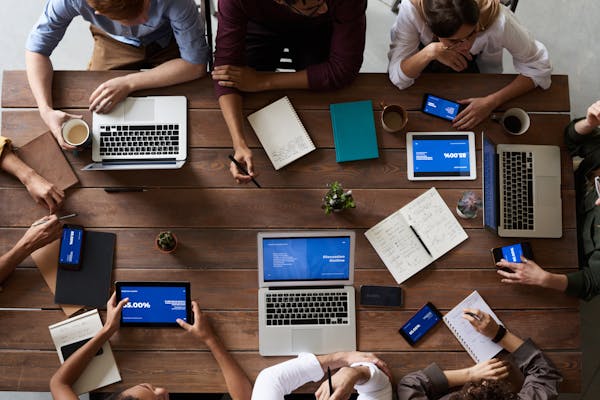
I forgot the front door was unlocked, and now I no longer have a toaster. Photo by Andrew Neel, please support by following @pexel.com
The Forget Me Nots
Data breaches are the digital equivalent of a forgetful pigeon leaving its passport on a park bench. Millions are affected, with consequences more troublesome than a lost migration map. Back in the pre-digital days, a data breach was like a curious squirrel peeking at your paper files (think: neighbor borrowing a cup of sugar… and peeking at your bills). Today, with the internet and digital storage, it’s like leaving your social security number and passwords plastered on a giant billboard in Times Square!
Our faces when our data is leaked. Photo by JJ Jordan, please support by following @pexel.com
The biggest recorded breach? Yahoo in 2013, where all three billion user accounts were exposed. Imagine an entire city waking up to find their front doors wide open! Yikes!
So, what cracks open these digital vaults? Weak passwords are like flimsy locks on a cardboard box – a determined raccoon (hacker) can break in with ease. Malware? That’s like leaving a Trojan Horse full of viruses on your computer, just waiting to unleash digital chaos. And social engineering? Think of a smooth-talking fox who tricks you into handing over your passport (data) without realizing it.
The consequences? It’s a digital disaster zone. Financial losses snowball faster than a runaway train on a rollercoaster. Businesses can get shut down quicker than a restaurant forgets your order. And your reputation can take a bigger hit than a dropped birthday cake (seriously, frosting everywhere!).
IT’S OUR DATA AND WE WANT IT BACK NOW! Photo by Kelly, please support by following @pexel.com
But what can you, the individual, do?
Become a Digital Doorman: Use strong, unique passwords for every account (think: a password so complex it would baffle even the smartest squirrel!).
Embrace Multi-Factor Authentication: This is like a secret handshake for your data – an extra layer of security that keeps even the sneakiest foxes at bay.
Stay Informed: Keep yourself educated about the latest cyber threats – knowledge is power, after all!
Together, we can build a more secure digital world!
Data breaches are a threat we can overcome. Share your own data security tips and experiences in the comments below! Let’s create a community of informed citizens who keep their digital passports safe and sound. Remember, a little vigilance goes a long way in keeping the cyber-raccoons out!
Love learning tech? Join our community of passionate minds! Share your knowledge, ask questions, and grow together. Like, comment, and subscribe to fuel the movement!
Quick note: if you’re viewing this via email, come to the site for better viewing. Enjoy!
Tim: Hey Briggs, did you read the latest script? Briggs: You know I did bro. Tim: Z-Daddy is like my gun, he’s always on point. Briggs: Bro, stop calling him that and that was mad cringe. Photo by Pixabay, please support by following @pexel.com
There was a time, a long time ago, when we as humans weren’t divided and we lived together in perfect harmony. In case you were wondering how long ago that time was, I’m referring to the stone age when we were in caves, communicating through grunts and often pointing off into the distance to what may be a potential threat.
But as our civilization grew, so did our divide, and this also happened within the world of technology. There has been a long-standing argument over which PC (Personal Computer) is superior and to what aspect. Many claim that Windows users are the most vulnerable to viruses, malware, and susceptible to other forms of attacks and Apple is the alpha, omega, and like a self-proclaimed independent woman of modern society, they don’t need any virus protection keeping them down.
Mac users, you might want to keep reading because your PC isn’t off the menu.
Shaw: Mac can get hacked? But Steve Jobs at fruit. Z-Daddy: Shawn, that has nothing to do with this topic. Photo by Dima Valkov, please support by following @pexel.com
A Bitten Apple
For many years, Apple has gone under the radar for being targeted for viruses and malware. Viruses have been reported to hit Apple products but not as hard or as often as with Windows and Android.
But there is a new addition to the growing list of viruses aiming to put MacOS higher up on the attacking menu. MacStealer is classed as malware that can collect your passwords, cookies, and other credentials from the web browser. Web browsers like Firefox and Google Chrome are commonly on the menu. MacStealer also has the capability to extract information from the KeyChain database.
KeyChain, in case you’re unfamiliar, is a macOS app that stores your passwords and account information, so in a sense making it easier for you to login into your accounts with less recalling. Always keep in mind that if it makes it easier for you it also makes it easier for the attacker depending on your given level of privilege on your PC.
A small inconvenience can go a long way.
Here at Uptycs, we find viruses and stuff. Photo by Zhengdong Hu, please support by following @pexel.com
Malware Among Mac
Analyst researchers at a company called Uptycs discovered this malware. Uptycs, which is a cloud-based analytics solution for anomaly detection. You may be asking yourself what all these words mean. These are all fancy words for, “We look for anything that may be suspicious on your network” or “sus”, for those who have played Among Us.
They had found the malware being advertised on a forum site on the dark web. For those who don’t know, the dark web is not what Hollywood makes it out to be, and you may have experienced it to some degree. The dark web is the use of special browsers like Tor Onion and VPNs (Virtual Private Networks) for peer-to-peer connections to access content that otherwise wouldn’t be accessible.
Always keep in mind, just you being there isn’t illegal, however, the activities in which you participate if discovered could have consequences. MacStealer, was not only being sold as Malware-as-a-Service (MaaS) – meaning the author created it and it’s being sold for public use via agreement on pay, but its price tag was $100.
The fact that threat actors keep a budget in mind when it comes to paying for malicious services on the dark web leaves me dumbfounded. Even cyber criminals feel the effects of inflation.
Z-Daddy, please tell I don’t have to switch back to Windows OS. Photo by Andrea Picacquadio, please support by following @pexel.com
Ideal Co-Worker
So, at this junction, you probably want to know how this malware functions. MacStealer, when distributed, appears as an unassigned DMG (Apple Disk Image file) with a weed icon on the folder.
This is done with the intent to trick the victim into running the file on their computer. After clicking, the victim is prompted with a fake prompt to enter their credentials to “log in”. Once this action is completed, the machine is comprised, and information aggregation can begin.
Once all of the data is collected, it’s stored in a ZIP file and is sent back to controlled servers and stored to be collected later for the hacker. At the same time, MacStealer sends out a notification signifying the task is complete.
Yes, I know, this is more efficient than your co-workers, and no, you can’t make a virus to replace them. I’ve already tried.
Oh my co-workers just got lucky. I was so going to replace them with a virus. Photo by Andrea Piacquadio, please support by following @pexel.com
Zero Victim Security
This is being told with some good news… finally. No one (that I am aware of) has been hit with this malware yet. Uptycs analyst spotted it and put out an alert in time.
It’s still in the developing stages, so features from the author are looking to be added to it but for now, it’s nothing too sophisticated where you wouldn’t be able to spot it. Still, prevention has to be mentioned because not everyone may be computer savvy.
For some people owning an Apple product is like eating at a fancy restaurant, some people just bought it for the name. I don’t know how many people have put weed icons on their folders but if you find a file or folder with a weed icon and you didn’t put it there, delete it. Only enter your passwords and other log-in information at secure websites.
Never, and if you’re doing it, stop, store your passwords or any information in your web browser. It seems like a good option but it’s the one of few areas threat actors count on for your goodies. If you have too many accounts and passwords to remember, a solution could be using a simple text editor like Microsoft Office Word, saving, and storing your credentials on a flash drive, and unplugging it from the computer for good measure.
Never download files or click on any links sent from unknown sources and double-check with people whom you may know the link was from. There aren’t as many vulnerabilities in MacOS as in Windows, but a moment in evaluating a given situation could see both operating systems with better security.
Any one of these macs could have been comprised, don’t let it be yours. Photo by fauxels, please support by following @pexel.com
Made it this far and found this to be entertaining? Then a big thanks to you and please show your support by cracking a like, scripting a comment, or plug-in to follow.
Would like to give sincere thanksto current followers and subscribers, your support and actions mean a lot and has a play in the creation of each script.
Do you think there is something I may have missed or have another way to prevent this? Script a comment below.