How Passwords Evolved and Why They Matter Today

Key Takeaways

  • Passwords have a long history: From ancient watchwords to modern digital security, passwords have evolved significantly.
  • Strong passwords are crucial: They are the first line of defense against cyber threats like data breaches, identity theft, and account hijacking.
  • Hackers use various methods to bypass passwords: Including brute-force attacks, phishing, and malware.
  • Creating strong passwords is essential:
    • Use a mix of uppercase and lowercase letters, numbers, and symbols.
    • Aim for at least 12 characters.
    • Use unique passwords for each account.
    • Avoid using personal information.
    • Consider using a password manager.
  • The future of password security:
    • Multi-factor authentication (MFA) is becoming increasingly important.
    • Passwordless authentication methods are being explored.
    • Advanced technologies like AI and ML are being used to enhance password security.

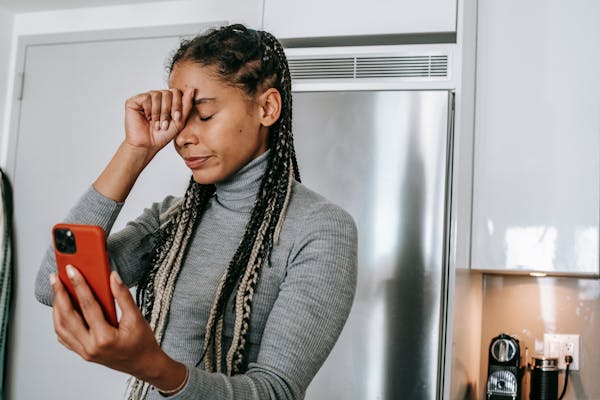
AI-generated image. “There’s no way that this is the password. WAIT, THEIR PASSWORD WAS “KEY”!?”

The Evolving World of Passwords: From Simple Secrets to Advanced Security

Come one, come all! Welcome back to another exciting script on ways to keep you and your loved one, and maybe not-so-loved ones information safe. Whatever the case is for you it’s important to know that we all have a role in cybersecurity. Yes, even your gam-gam, has a role in cybersecurity. That’s because “cybersecurity” is not just “cyber”. Cyber is an area of focus. And today we’re going to focus on the most basic form of cybersecurity. As you can tell from the title, it’s the one thing we all can agree on being identified as our “digital key”. Look no further than passwords.

Now what’s so special about passwords? We encounter them daily – unlocking our phones, accessing emails, and logging into countless online services. But have you ever stopped to consider the history and evolution of these digital keys? Let’s delve into the fascinating world of passwords, from their humble beginnings to the cutting-edge security measures shaping the future. And, you won’t have to write any of this down and remember it to log back in.

A Brief History of Passwords

Believe it or not, the concept of passwords predates the digital age. Ancient Roman soldiers employed “watchwords” to identify themselves and prevent enemy infiltration. In the early days of computing, passwords were relatively simple, often just a sequence of numbers or a single word.

The rise of the internet, however, brought with it a surge in cyber threats. As online activities became more sophisticated, so too did the need for stronger, more complex passwords.

AI-generated image. “You’ll never guess my password. I’ll make sure of it.”

The Importance of Strong Passwords

In today’s interconnected world, strong passwords are more critical than ever. They act as the first line of defense against cybercriminals seeking to exploit vulnerabilities. Weak passwords can lead to:

  • Data Breaches: Hackers can gain access to sensitive personal information, including financial details, medical records, and confidential communications.
  • Identity Theft: Stolen credentials can be used to impersonate you, leading to fraudulent activities and financial losses.
  • Account Hijacking: Hackers can take control of your online accounts, such as social media, email, and banking platforms, potentially causing significant disruption and harm.

The Evolution of Password Creation

Early passwords were often simplistic, easily guessable words or short number sequences. Today, the emphasis is on complexity and uniqueness.

  • Past: Simple passwords like “password123” or “birthday” were common.
  • Present: Strong passwords are now recommended, incorporating a mix of uppercase and lowercase letters, numbers, and symbols. For instance, a strong password might look like: “P@$$w0rd!23”

This works well for most cases, however, to improve upon this best practice. Creating a password from a phrase tends to be more secure. Example: “the Sun W1ll C0me Up 2morrow.” While one word is easier to remember, this form is takes even longer for hackers to crack as there are a mixture of letters, numbers, and characters.

How Hackers Bypass Passwords

First, let me start by saying; “Not every hacker is a bad hacker or malicious hacker.” Often time the term “hacker” is paired with someone who performs criminal activity and that is not the case….sometimes. However, in this instance we’re talking cybercriminals and they employ various techniques to crack passwords:

  • Brute-force Attacks: Automated attempts to guess passwords by systematically trying every possible combination of characters.
  • Dictionary Attacks: Utilizing lists of common words, phrases, and names to break passwords.
  • Phishing: Deceiving users into revealing their passwords through deceptive emails, messages, or websites.
  • Social Engineering: Manipulating users into divulging their credentials through psychological tactics.
  • Malware: Malicious software that can steal passwords directly from infected devices.

Popular Methods to Obtain Passwords

  • Data Breaches: Large-scale cyberattacks on companies and organizations that expose millions of user credentials.
  • Phishing Attacks: Deceiving users into clicking on malicious links or downloading attachments that steal passwords.
  • Keylogging: Monitoring keystrokes on a victim’s device to capture passwords as they are typed.
  • Shoulder Surfing: Observing users as they enter their passwords, often in public places.

Tips for Creating Strong, Uncrackable Passwords

  • Length is Key: Aim for at least 12 characters.
  • Embrace Complexity: Incorporate a mix of uppercase and lowercase letters, numbers, and symbols.
  • Uniqueness Matters: Use a different password for each online account.
  • Avoid Personal Information: Refrain from using easily guessable information like birthdays, pet names, or common words.
  • Leverage a Password Manager: A secure tool to generate, store, and manage strong passwords.
AI-generated image. “You guys can make all the strong passwords you’d like. You’re just slowing me down for a little bit. “

The Future of Password Security

The future of password security is likely to involve a shift away from traditional password-based authentication:

  • Multi-Factor Authentication (MFA): Requiring multiple forms of authentication, such as biometrics (fingerprint, facial recognition) or one-time codes, in addition to passwords.
  • Passwordless Authentication: Exploring alternative authentication methods like biometric authentication, security keys, and decentralized identity solutions.
  • Enhanced Password Policies: Implementing stricter password requirements and enforcement mechanisms within organizations.
  • Advanced AI and Machine Learning: Utilizing AI and ML to detect and prevent sophisticated password attacks.

Conclusion

Passwords have evolved significantly since their early days. While they remain a crucial layer of security, the landscape is constantly changing. By understanding the importance of strong passwords and adopting best practices, we can significantly enhance our online security and protect ourselves from the ever-evolving threats of the digital world.

And with all of that being said, the world of passwords looks to be a fading one, really. Most people create passwords from personal items, often a spouse, pet, car, or children’s birth date. What’s the reason? It’s easier to remember than a key phrase with numbers and special characters. Keep in mind, that the more layers of security you add, the better protected you’ll be.


Love learning tech? Join our community of passionate minds! Share your knowledge, ask questions, and grow together. Like, comment, and subscribe to fuel the movement!

Don’t forget to share.

Every Second Counts. Help our website grow and reach more people in need. Donate today to make a difference!

One-Time
Monthly
Yearly

Make a one-time donation

Make a monthly donation

Make a yearly donation

Choose an amount

$5.00
$15.00
$100.00
$5.00
$15.00
$100.00
$5.00
$15.00
$100.00

Or enter a custom amount

$

Your contribution is appreciated.

Your contribution is appreciated.

Your contribution is appreciated.

DonateDonate monthlyDonate yearly


Phishing with Love

Quick note: if you’re viewing this via email, come to the site for better viewing. Enjoy!

Erica: I sure hope that the latest script from Z-Daddy behind you.
Sean: What is your obsession with Scriptingthewhy!?
Photo by vjapratama, please support by following @pexel.com

Throughout the history of mankind, there is one emotion that has driven us to do many things. Some of these may be crazy and unconventional, but the result is done with good intentions…sometimes.

It’s the one emotion that no one can seem to live without unless you have no desire for it because you believe you’re cold-hearted, at this point I would cautiously call you a monster and bid you a good day. What is this emotion I’m alluding to?

It’s called love, love is a very interesting and powerfully intoxicating emotion we humans have.  If there is anything to know about love, it’s a good thing. However, if you’re rifling through piles and piles of emails from the weekend only to find one saying “ILOVEYOU” in the subject line followed by a “click here” attachment might not be the love you may want at the current point in time.

Don’t know what I’m talking about? Let me script to you what I mean.

Kim: You don’t even know why I’m mad at you.
Tim: It’s because I didn’t read that script thingy.
Kim: That and you didn’t change the toilet paper roll this morning.
Photo by Katerina Holmes, please support by following @pexel.com

A Lovely Chain Letter

As mentioned earlier, you’re rifling through all of your emails from the weekend, and you find one saying “ILOVEYOU”. While this may seem like someone sent this with the intent to brighten up your day and give you all of those cute, warm fuzzy feelings like reminiscing about grandma’s home cooking, the bad news is it’s not.

This event is referred to as the “Love Bug” or “Love Letter for You”, in other words, you’re getting duped with a computer virus, if you click on the attachment. Just when you thought someone was falling head over heels for you.

That’s a solid question Z-Daddy, I think I was in calculus with my crush Brinda Adams. I wonder if she knows that I exist.
Photo by Pavel Danilyuk, please support by following @pexel.com

Frat Worms in College

Here’s a question for you, can you remember what you were doing in the year 2000? If whatever you were doing doesn’t involve sitting in your room making computer viruses, congrats, you’re a part of the majority. I know there is someone reading this script saying “Actually, I was reverse engineering them because of lack of friends.”

Back in the heyday of the year 2000, on May 4th of that year. A 24-year-old college student from the Philippines, by the name of Onel de Guzman had created this computer virus to steal passwords for internet access because he couldn’t pay for it.

This is very reminiscent of trying to tune to the right frequency on the old-school cable box to get the pre-hub before the now prominent hub, black and orange baby. Page 153 and still can’t find anything, we’re all so broken.

At this junction and for my own sanity, I have to make it known that in some sources ILY is referred to as a virus but overall, it’s a worm. The difference is, viruses tend to come in ones or twos, and they muck up a few files in your computer system whereas worms on the other hand, just need you to open the door, and from there, one can multiply and muck up a whole network. Worms are like the frat boys of the computer world, once in, they like to party.   

YES, I AM LOVED…by a guy? Oh whatever, it’s 2023 I’m not judging, I just need someone to hold me and say it’s going to be all right.
Photo by Andrea Piacquadio, please support by following @pexel.com

Loving Dollar Decline

Here’s a scenario on the ILY process, yes, I know you’re dying to know. So, let’s say you are friends with Tom, and you get a message from Tom saying “ILOVEYOU” in the subject line. You open the email and see there’s an attachment. With you knowing Tom, you open the attachment thinking nothing of it but that’s when having to explain to someone why you ghosted them, and spontaneously pop back up begins.

This triggers an event of messages being re-sent to, not only everyone in your list of contacts but their list as well. Do you see how it wormed its way into your life? This scenario is what happens on small scale but on a larger one, ILY found its way into corporate networks due to Microsoft Outlook being widely used at the time which resulted in files of every type being wiped from the hard drives and in just about 10 business days resulted in 45 million users and cost about $10 billion in damages. That’s $3.5 billion in today’s currency, the power of the good ole American dollar, am I right?

Jake: So, I walked up that computer virus and was like “What’s up”.
Z-Daddy: Jake…you know that’s not help you deal with computer viruses, right?
Jake: Pfft, whatever bro, waited long enough and screen went off. Mission accomplished.
Z-Daddy: That’s…never mind.
Photo by Rusian Alekso, please support by following @pexel.com

Effects and After Effects

Now while this worm had spread its way across many, many, many systems, some of which include the Pentagon, CIA, and U.S. Army, and even ventured to the United Kingdom, this one isn’t much to worry about. A part of it was caught on a server that was quickly turned offline and with no other servers to send information to, there was nowhere for it to spread.

Many large companies had to make the decision to completely turn off their emailing systems. As we all may know, being able to email can convey information and information is money, so you can picture a lot of money was lost throughout this whole endeavor. At this junction you have nothing to worry about, however, this doesn’t mean one can run around clicking on emails with “ILOVEYOU” in the subject title.

Being aware of a potential cyber-attack could make a world of difference when it comes to protecting your computer and your life in general. If you get an email from someone you know and you’re curious about it, check with them on another medium (i.e., text message or phone call) to ensure that it was them that sent the email.

Of course, you should have anti-virus and malware protection on your computer and that it and your operating system is up to date as the older systems have vulnerabilities that are not patched. To touch back onto Guzman, while he has one of the world’s first global computer viruses (worm) under his belt which affected 45 million, charges against him and his buddy were dropped, and he regrets unleashing ILY.

When ILY did its thing and pretty much destroyed email by storm, Guzman was so shaken up that he took a year off from working with computers. He now runs a phone repair shop with his buddy in the Philippines.

She sent I love you and the attachment was her. Thank you, Z-Daddy, for keeping us aware.
Photo by Nataliya Vaitkevich, please support by following @pexel.com

Made it this far and found this to be entertaining? Then a big thanks to you and please show your support by cracking a like, scripting a comment, or plug-in to follow.

Would like to give sincere thanks to current followers and subscribers, your support and actions mean a lot and has a play in the creation of each script.

Do you think there’s something I may have missed about ILOVEYOU? Script a comment below.

Swapping Phones and Trading Places

Quick note: if you’re viewing this via email, come to the site for better viewing. Enjoy!

Jesus Saves but Scriptingthewhy saved my bank account baby! Read this script!
Photo by Brett Sayles, please support by following @pexel.com

Hey you, yes you, you the reader. Do you want to know a secret? I know something special about you. The fact that you’re reading this means that you are in the market for getting robbed.

I’m sure there hasn’t been a point in time, where you haven’t had the thought to give some stranger on the internet your hard-earned cash. Please keep in mind that hard-earned was said depending on your work ethic, we all know that results may vary. You say “no”? None of this sounds appealing to you. Don’t worry, that wasn’t my angle.

Humans, it has long been known that we are creatures of habit. We don’t like change much, so we often don’t like it when our plans have hiccups. This could range from something small like having to pick up a tube of toothpaste because you just squeezed your last bit this morning and now you have to add another item to stop for on your shopping list or, to something big like having your phone no longer working because it’s not in your name despite the fact it was fully functional the day before.

You don’t quite understand that last one? Don’t worry, I’m going to script it for you.

Lord, I think this is what Z-Daddy was talking about. This phone was working a minute ago.
Photo by Alex Green, please support by following @pexel.com

A Change in Signal

If you can, picture you’re using your phone for one minute and you put it down only to come back moments later to find that it no longer operates the same. You try making some calls, double check to see if you have any “bars” (“signal”, if you wanted to be technical).

You turn on and off the airplane mode, restart your phone, and still nothing. It’s obvious that something is off and this clearly isn’t normal, you shouldn’t try putting it off to deal with it later.

There is a super high chance that you could be experiencing SIM Swapping. SIM (Subscriber Identity Module) swapping which may go by other names like SIM hijacking, SIM splitting, or sim jacking (not sure how much I like that last one, sounds like a trip to HR), is the art of an attacker/hacker gaining control of your phone number.

Once your number is obtained, life for you is going to go from Netflix and Chill to Bodies by Drowning Pool pretty quickly.

Another globe crisis and cyberattacks on the rise…I’m good with this.
Photo by Ashutosh Sonwani, please support by following @pexel.com

Changing Faces

If you’re an advent reader of mine then you’ll already know or have a good sense of who would commit this act and why, but if you’re not, ask yourself the following. How could you have committed this heinous crime of not subscribing? Why haven’t you subscribed to keep up to date on when I post? And are you going to be missing out if you don’t subscribe? To that last one, I can honestly say “yes”.

Subscription shaming aside, this act is committed with the intent of the attacker becoming you. Why would someone choose you as a target you may be asking? As mentioned before, imposing as you can grant them access to everything you have and more.

They can intercept incoming messages meant for you. Some events have involved credit cards being charged and financial institutions trying to confirm if the purchase was legit only for the attacker to confirm in your place.

Sometimes there’s just no other way to say it.
Photo by Saksham Choudhary, please support by following @pexel.com

Ways to Phone Jack

So you may be wondering, how is something like this executed. I mean, clearly, there has to be some telltale signs before it even happens, right? Well…in most and by most meaning all, you’ll never know that your information is being collected.

This could be done by using keyloggers malware, phishing emails, or which happens in most cases social engineering. The attacker will be someone who has been in the same vicinity as you and has listened close and long enough to obtain enough information to pose themselves as you.

Enough to fool your cellphone provider into giving them more information that they may be missing to commit further attacks. Once that happens, the fun of trying to get everything back in order begins, depending on your response time when you find out your phone no longer has service.

I watched out for social engineering, and I’m didn’t crazy.
Photo by Kindel Media, please support by following @pexel.com

Becoming Socially Unacceptable

At this junction, which is normal, you might be wondering how to prevent this from happening. Social engineering is tricky to catch, so you have to pay attention to everyone you’re within earshot of. Trying to do this constantly will drive you insane and pretty much overload your senses…well and at some point, you’re going to lock eyes with someone for a little longer than what’s considered to be normal, and you may end up weirding them out. The point is, you’re going to end up like Jim Carrey from the movie 23 and be uber-paranoid.

An easier and more sane solution is to be mindful of your volume in places where you’re required to verbally give your information as talking to the person as if you two are in a rave could end poorly since eavesdropping is an easy skill perk that we all have. If writing it down, make sure you are aware of people who may walk by as this could lead to them being able to perform “shoulder surfing”, this is a clever name I know. I didn’t coin it but still somehow, I can feel your judgment.

Some other countermeasures you can take instead of opting for text-based confirmations are, your cellphone provider will let you add a PIN (Personal Identification Number) to your account for an extra layer of protection. When making use of 2FAs (two-factor authentications) verification methods, opt for biometrics which relies on either facial recognition or fingerprint scanning as this involves confirmation of your physical being.

Another method is having a security key that looks like a flash drive but a simple tap or insert into the phone could be more secure if you didn’t want the hassle of trying to get your phone to recognize your face. It is highly advised to contact your provider as soon as possible if you get a “Number changed” or your phone stops operating normally, the effects and fallout could run into years of working to get everything fixed.

Within 5 hours a credit card statement of $7,845.35 could be in your name and that could be the prelude to what’s to come.    

Small Detour:

Check out this person’s experience with SIM swapping because their story is wild, click here.

Sean: I want to be a hacker like Z-Daddy when I grow up.
Z-Daddy: I’m not a hacker kid, you know what, forget it.
Photo by cottonbro studio, please support by following @pexel.com

Made it this far and found this to be entertaining? Then a big thanks to you and please show your support by cracking a like, scripting a comment, or plug-in to follow.

Would like to give sincere thanks to current followers and subscribers, your support and actions mean a lot and has a play in the creation of each script.

Is there something I may have missed about SIM swapping? Script a comment below.