How to View through Keynotes

Consider following on social media!

Quick note: if you’re viewing this via email, come to the site for better viewing. Enjoy!

It’s the first day on the job and there’s a new script! This is going to be the best day ever!
Photo by SHVETS production, please support by following @pexel.com

It’s your first day on the job. You walk in and sit down to mentally prepare yourself for the laundry list of tasks ahead. While seated at your keyboard, you notice there is a camera installed in the corner of the room pointing at you.

Feeling a little unsettled you look back at your computer keyboard and before you begin to type. You get this eerie feeling of something or someone watching you from all devices.

The camera, the webcam, and even the keyboard feels like they’re watching, and you are not too sure if what you are feeling is real. Let me script for you how this may be your reality.

Timmy: Z-Daddy says we’re being watched by the big boss.
Tom: We’re not interesting enough to spy on. He’s just trying to wig us out.
Photo by Fox, please support by following @pexel.com

Local Private Eyes

You understand how the camera and webcam could be the ones watching your every move. At some point or another, it’s been reported in the news, but to spout that your keyboard can be watching as well, now that might be a thing of nonsense.

You could say one is being unreasonably paranoid. Let me introduce you to a device called a “keylogger”. You may have heard it go by other names such as keystroke logger or keygrabber.

Keyloggers are tools used to capture all your interactions with the keyboard. This means everything you type is recorded and stored for later evaluation. This includes all the questionable websites you visited during the duration of your shift. We’re all looking at you nudemidgetcowgirlsfromouterspace.com.
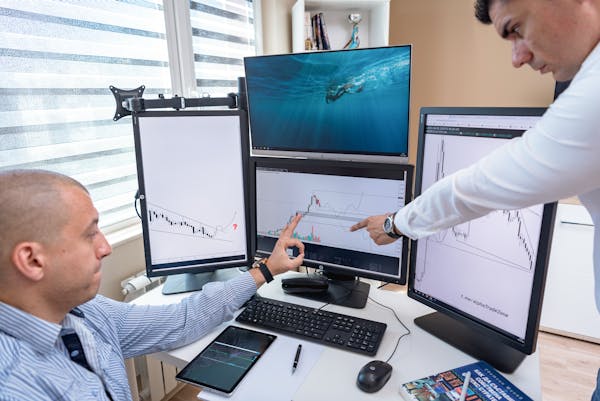
Henry: See, I told you they were visiting Scriptingthewhy during working hours.
Shaw: well, it is a semi-informative site with some humor but you’re right they’re supposed to be working.
Photo by AlphaTradeZone, please support by following @pexel.com

For Good, Bad, and the Dark-net

The use of keyloggers has been used for both good intentions and malicious ones. For good intentions, this involves things like parents installing a keylogger to monitor their child’s screen time. Although I don’t know of any parents doing that nowadays since we’re just happy to not hear them crying about anything. A silent and preoccupied child makes a happy parent.

Another good intention, though questionable, is companies have been known to use keyloggers to monitor employee productivity, as you would have imagined, yes, the overlords may watch you to ensure that you are in fact working. And finally, IT (Information Technology) departments can use keyloggers for troubleshooting problems with a device.

So, with all of these “good intentions” (minus the company part depending on how you look at it), you may be wondering what the bad or malicious ones are. Unauthorized personnel will use keyloggers to, not only be like Sting from the Police watching every move you make but later sell your information on the dark web or hijack your life if they want.

Again, you’re a somebody and that means every person on the dark net doesn’t mind being you. Whether you choose to believe it or not your information has value.

Enjoy the read so far? Why don’t you consider subscribing so you can keep up to date?

Eric: You read the latest script? Nice, big boss wants to see you by the way. Don’t worry bro, your computer is safe with me.
Bob: I don’t think I should just leave it with you like that.
Eric: Nah bro, you can trust me.
Photo by Helena Lopes, please support by following @pexel.com

Connection via Co-worker

So how would something like this work? This is usually done by social engineering but you’re going to be highly disappointed to know that the installation of such a device is as simple as inserting a USB (Universal Serial Bus) thumb drive.

An example of this might be you’re in your office and Eric from accounting comes in to let you know that the big boss wants a word with you, so you head out to the big boss. If for some reason or other, you leave Eric in the office he can then go to your computer, hook up a device to the plugin slot for your keyboard, and connect your keyboard plugin to the keylogger device.

Photo of keygrabber device.
Photo by keelog,@https://www.keelog.com/usb-keylogger/

From there, all the information is ready to be recorded. There are other means outside of using this tactic. The use of web page scripts provides you with an infected link leading you to a malicious website where the software will download to your computer for the keylogger.

Phishing offers the same tactic, but it is delivered to your email instead, this could be where you see an email featuring the classic “click on the link if you want to marry your Russian princess” or prince. Just so you know, Z-Daddy doesn’t judge, love is love.

And finally, unidentified software is downloaded, this may also be known as “drive-by downloading”, again it’s not what you think, computer nerds aren’t driving around firing malicious code from the side of the car as they go by. This occurs when you visit a website like nudemidgetcowgirlsfromouterspace.com and a file is downloaded without your consent.

Sean: Watching out for people is tough.
Amber: Watching over people is tougher, it’s a good thing we have Z-Daddy.
Photo by KoolShooters, please support by following @pexel.com

Watching Overall

Now while keylogging has some good and bad use cases, let’s be honest, no one likes to be watched without their consent. There may be a niche few who don’t mind because they feel as though they have nothing to hide. However, having this knowledge is important in protecting or simply figuring out if “Big Brother” or another interested party is viewing what you do.

A few ways of confirming are; if your browser is operating sluggishly or slower than normal, if there is a lag in keystrokes or cursor movements, or if your cursor disappears randomly during movement.

Physically, you could inspect your plugins by unplugging them and checking if a questionable device is seated in any of the USB slots. For digital or online protection, avoid visiting or downloading software from unknown trusted sources, if you receive an email from Eric with an attachment saying, “Good times are to be had here, click and download for more,” keep a close eye for grammatical or spelling errors and crosscheck with Eric as that may not have been him.

Always keep an understanding that your personal information is extremely valuable to an attacker. If you have massive debt, it’s not a problem, they’ll get you more and if you have no debt, that’s also not a problem, they’ll find you some.

Julia: Ben, since we subscribed and stayed informed, look at how much we’ve avoided.
Photo by Mikhail Nilov, please support by following @pexel.com

Made it this far and found this to be entertaining? Then a big thanks to you and please show your support by cracking a like, scripting a comment, or plug-in to follow.

Would like to give sincere thanks to current followers and subscribers, your support and actions mean a lot and has a play in the creation of each script.

Do you feel like there is something I may have missed with keyloggers? Script a comment below.

Don’t Get Hacked: Finding the Security Sweet Spot (It’s Not Under Your Desk!)

Key Takeaways

  • Cybersecurity is important: Data breaches can be expensive and damaging.
  • Balance cost and risk: Understand your risk tolerance and prioritize security measures accordingly.
  • Use strong passwords and MFA: This makes it harder for hackers to steal your information.
  • Keep software updated: Updates often contain security patches that fix vulnerabilities.
  • Be cautious of phishing emails: Don’t click on suspicious links or attachments.
  • Do a cost-benefit analysis: Weigh the cost of security solutions against the potential benefits.
  • Stay informed: Keep up-to-date on the latest cybersecurity threats and best practices.
This can happen sometimes when you put money over security.
Photo by Mike Bird, please support by following @pexel.com

Let’s be real, “cybersecurity” can sound about as thrilling as watching dial-up load a webpage. But hold on! Skimping on security is like playing dodgeball with a digital wrecking ball – and trust us, you don’t want to be the one getting flattened.

Here’s the thing: protecting your data is a balancing act. You want ironclad defenses, but who wants to break the bank for them? This is where understanding your risk tolerance comes in. Imagine you run a small business. A data breach could mean lost customer records and credit card info, a huge blow. But for a personal computer, maybe it’s just some embarrassing childhood photos.

Security? More Like Sanity!

Think of strong cybersecurity as an insurance policy for your digital life. A single breach can unleash a financial nightmare worse than accidentally buying that “guaranteed muscle growth” protein powder (we’ve all been there). Data loss, hefty fines, and a damaged reputation are all on the menu.

We can’t get hacked. We have MONEY!!!
Photo by Gustavo Fring, please support by following @pexel.com

Counting the Cost of Catastrophe

Investing in security isn’t about throwing money at a problem. It’s about being proactive. Imagine your data as a family heirloom. Sure, you could leave it on the coffee table, hoping nobody swipes it, but wouldn’t you feel better with a locked cabinet (read: strong passwords) and maybe a security camera (read: antivirus software)?

The cost of a data breach can dwarf the cost of decent security. Studies show that the average breach can cost companies millions – enough to make even the most frugal accountant sweat.

But Wait, There’s More!

Balancing security with affordability is a personal journey. Every organization (or individual) has a unique risk tolerance. Think of it like your spice preference. Some folks can handle the heat of a habanero, while others stick to bell peppers. A risk assessment framework, like the NIST Cybersecurity Framework, can help you identify your critical data and prioritize your defenses accordingly.

Remember, security isn’t about buying the fanciest antivirus (though a good one is essential). It’s about layering your defenses like a well-dressed onion (because seriously, who wants a naked onion?). Here are some specific things you can do:

  • Strong Passwords & Multi-Factor Authentication (MFA): Use a unique, complex password for every account and enable MFA wherever possible. This adds an extra layer of security, making it much harder for hackers to break in.
  • Software Updates: Always keep your operating system, web browser, and other software updated. These updates often contain security patches that fix vulnerabilities hackers can exploit.
  • Beware of Phishing Emails: Don’t click on suspicious links or attachments in emails, even if they seem to come from a legitimate source. Phishing emails are a common way for hackers to steal your personal information.
This…is just impressive.
Photo by cottonbro studio, please support by following @pexel.com

Let’s Talk Turkey (or Should We Say, Talk Security?)

So, how do you find the security sweet spot? Here are a few tips:

  • Think Cost-Benefit Analysis: Not all security solutions are created equal. Weigh the cost of implementing a solution against the potential financial benefits of mitigating risks.
  • Measure Your Wins: Security isn’t just about avoiding disaster. Look for ways to quantify the value of your security investments using metrics like Return on Security Investment (ROSI).
  • Stay Informed: There’s no shame in admitting you’re not a cybersecurity guru. Check out industry reports on best practices and keep yourself updated on the latest threats.
  • Join the Conversation! We all have a role to play in keeping our digital world safe. Share your security strategies and experiences in the comments below. Remember, together, we can build a fortress so strong, that even the most determined cyber-crook will be left hacking away at their keyboards in frustration. Because let’s be honest, wouldn’t that be a sight to see?

Love learning tech? Join our community of passionate minds! Share your knowledge, ask questions, and grow together. Like, comment, and subscribe to fuel the movement!

Don’t forget to share.

Every Second Counts. Help our website grow and reach more people in need. Donate today to make a difference!

One-Time
Monthly
Yearly

Make a one-time donation

Make a monthly donation

Make a yearly donation

Choose an amount

$5.00
$15.00
$100.00
$5.00
$15.00
$100.00
$5.00
$15.00
$100.00

Or enter a custom amount

$

Your contribution is appreciated.

Your contribution is appreciated.

Your contribution is appreciated.

DonateDonate monthlyDonate yearly

Jobs Band of Thieves

Consider following on social media!

Quick note: if you’re viewing this via email, come to the site for better viewing. Enjoy!

Tim: Hey Briggs, did you read the latest script?
Briggs: You know I did bro.
Tim: Z-Daddy is like my gun, he’s always on point.
Briggs: Bro, stop calling him that and that was mad cringe.
Photo by Pixabay, please support by following @pexel.com

There was a time, a long time ago, when we as humans weren’t divided and we lived together in perfect harmony. In case you were wondering how long ago that time was, I’m referring to the stone age when we were in caves, communicating through grunts and often pointing off into the distance to what may be a potential threat.

But as our civilization grew, so did our divide, and this also happened within the world of technology. There has been a long-standing argument over which PC (Personal Computer) is superior and to what aspect. Many claim that Windows users are the most vulnerable to viruses, malware, and susceptible to other forms of attacks and Apple is the alpha, omega, and like a self-proclaimed independent woman of modern society, they don’t need any virus protection keeping them down.

Mac users, you might want to keep reading because your PC isn’t off the menu.  

Shaw: Mac can get hacked? But Steve Jobs at fruit.
Z-Daddy: Shawn, that has nothing to do with this topic.
Photo by Dima Valkov, please support by following @pexel.com

A Bitten Apple

For many years, Apple has gone under the radar for being targeted for viruses and malware. Viruses have been reported to hit Apple products but not as hard or as often as with Windows and Android.

But there is a new addition to the growing list of viruses aiming to put MacOS higher up on the attacking menu. MacStealer is classed as malware that can collect your passwords, cookies, and other credentials from the web browser. Web browsers like Firefox and Google Chrome are commonly on the menu. MacStealer also has the capability to extract information from the KeyChain database.

KeyChain, in case you’re unfamiliar, is a macOS app that stores your passwords and account information, so in a sense making it easier for you to login into your accounts with less recalling. Always keep in mind that if it makes it easier for you it also makes it easier for the attacker depending on your given level of privilege on your PC.

A small inconvenience can go a long way.

Here at Uptycs, we find viruses and stuff.
Photo by Zhengdong Hu, please support by following @pexel.com

Malware Among Mac

Analyst researchers at a company called Uptycs discovered this malware. Uptycs, which is a cloud-based analytics solution for anomaly detection. You may be asking yourself what all these words mean. These are all fancy words for, “We look for anything that may be suspicious on your network” or “sus”, for those who have played Among Us.

They had found the malware being advertised on a forum site on the dark web. For those who don’t know, the dark web is not what Hollywood makes it out to be, and you may have experienced it to some degree. The dark web is the use of special browsers like Tor Onion and VPNs (Virtual Private Networks) for peer-to-peer connections to access content that otherwise wouldn’t be accessible.

Always keep in mind, just you being there isn’t illegal, however, the activities in which you participate if discovered could have consequences. MacStealer, was not only being sold as Malware-as-a-Service (MaaS) – meaning the author created it and it’s being sold for public use via agreement on pay, but its price tag was $100.

The fact that threat actors keep a budget in mind when it comes to paying for malicious services on the dark web leaves me dumbfounded. Even cyber criminals feel the effects of inflation.

Z-Daddy, please tell I don’t have to switch back to Windows OS.
Photo by Andrea Picacquadio, please support by following @pexel.com

Ideal Co-Worker

So, at this junction, you probably want to know how this malware functions. MacStealer, when distributed, appears as an unassigned DMG (Apple Disk Image file) with a weed icon on the folder.

This is done with the intent to trick the victim into running the file on their computer. After clicking, the victim is prompted with a fake prompt to enter their credentials to “log in”. Once this action is completed, the machine is comprised, and information aggregation can begin.

Once all of the data is collected, it’s stored in a ZIP file and is sent back to controlled servers and stored to be collected later for the hacker. At the same time, MacStealer sends out a notification signifying the task is complete.

Yes, I know, this is more efficient than your co-workers, and no, you can’t make a virus to replace them. I’ve already tried.

Oh my co-workers just got lucky. I was so going to replace them with a virus.
Photo by Andrea Piacquadio, please support by following @pexel.com

Zero Victim Security

This is being told with some good news… finally. No one (that I am aware of) has been hit with this malware yet. Uptycs analyst spotted it and put out an alert in time.

It’s still in the developing stages, so features from the author are looking to be added to it but for now, it’s nothing too sophisticated where you wouldn’t be able to spot it. Still, prevention has to be mentioned because not everyone may be computer savvy.

For some people owning an Apple product is like eating at a fancy restaurant, some people just bought it for the name. I don’t know how many people have put weed icons on their folders but if you find a file or folder with a weed icon and you didn’t put it there, delete it. Only enter your passwords and other log-in information at secure websites.

Never, and if you’re doing it, stop, store your passwords or any information in your web browser. It seems like a good option but it’s the one of few areas threat actors count on for your goodies. If you have too many accounts and passwords to remember, a solution could be using a simple text editor like Microsoft Office Word, saving, and storing your credentials on a flash drive, and unplugging it from the computer for good measure.

Never download files or click on any links sent from unknown sources and double-check with people whom you may know the link was from. There aren’t as many vulnerabilities in MacOS as in Windows, but a moment in evaluating a given situation could see both operating systems with better security.

Any one of these macs could have been comprised, don’t let it be yours.
Photo by fauxels, please support by following @pexel.com

Made it this far and found this to be entertaining? Then a big thanks to you and please show your support by cracking a like, scripting a comment, or plug-in to follow.

Would like to give sincere thanks to current followers and subscribers, your support and actions mean a lot and has a play in the creation of each script.

Do you think there is something I may have missed or have another way to prevent this? Script a comment below.