Quick note: if you’re viewing this via email, come to the site for better viewing. Enjoy!
First thing in morning…I wonder what’s on Scriptingthewhy.com Photo by Kampus Production, please support by following @pexel.com
Have you ever woken up, walked into the kitchen, put your hand into your toaster, flip it on, and while it was heating up thought to yourself,” This is a good idea, I mean my hand is starting to burn but I’m okay with this”? No, me neither but yet somehow, we complete this same action every day at work.
While “we the happy few” go to work and enjoy it there is a mass amount of people who do not but in either case, the result is the same, we take part in a cycle. Get up, get dressed, grab your bags, head to work, work your standard eighty hours, get your paycheck, pay your bills, complain throughout the process, and repeat.
We complete this cycle for various reasons but whatever those reasons may be, this cycle hides away a question from the forethought of our minds that we should be asking ourselves and searching for an answer. “What would I do if my employer had to let me go?”
In case you were wondering, the reaction to pulling your hand out from the toaster is the thought that you should be aspiring to do something more than your current position. This symbolism hits all too hard.
We know it’s your day off, but could you still come in and hand over your badge? Photo by Andrea Piacquadio, please support by following @pexel.com
Heartbreaks and Layoffs
I don’t know how many of you reading this have ever experienced a layoff before, personally, I have not. I mean, I experienced being laid off in a relationship (it was her choice, not mine) but I could imagine the feeling of your heart dropping into your gut, and experience trembling throughout your very existence would be the result.
For those who don’t entirely have a good idea of what a layoff is; in short, the employer may come into a situation where they have to terminate your employment, the reasons can vary from trying to cut costs, lack of work, or funds because of reorganization, or even mergers and acquisitions.
Breaking this down in relationship terms, this is the classic “It’s not you, it’s me” situation. This differs from being fired because, well… being fired is something that happened on your end. So, again, in relationship terms, this is the classic “I’m breaking up with you because we’re just not meant to be” situation.
Breaking hearts aside, if you have been living under a rock, the company Google, is a subsidiary of Alphabet Inc that focuses on various business areas such as advertising, search, platform, and operating systems, and the list goes on, had to perform a massive layoff and people were informed via email, that they were being let go despite their longstanding with Google.
Again, haven’t been laid off before but I could imagine your world becoming microscopic after reading the email. This is heartbreaking because there are many people who spent their better years trying to acquire a spot in Google only to be treated like a mishandled Door Dash order and be left out curbside.
We should start making plans in case this company starts downsizing. Door Dash here I come. Photo by RF._.studio, please support by following @pexel.com
Letting Go by Numbers
You may be curious to know how many people and why is Google laying off. As of right now Google either has or seeking to let go of about 12,000 employees. And interns looking to land a job with Google have been put on freeze with a chance of having to pivot their plans because landing a job at Google isn’t looking promising anymore.
Google’s CEO Sundar Pichai informed employees this decision resulted from the realization of unrealized growth expectations. This translates to, if you have ever thrown a house party, I invited too many people and a good chunk of you have to go. So sorry folks but don’t forget to tip your bartender and close your tab on the way out.
This makes Google the latest tech giant to “trim the fat” after the rapid expansion during the COVID-19 pandemic had worn off. Pichai did take full responsibility for the decision however, this doesn’t soften the blow but at least he did address his muck up.
Yours truly even applied at Google and like most of the companies I’ve applied to, they scoffed at my achievements because I didn’t come from a university or have the certifications, they were screening for but after applying for their apprenticeship program and never hearing anything more about it, this all makes sense now.
I have spent years in school, I never gave much thought into pursing other skills. Photo by cottonbro studio, please support by following @pexel.com
Being The Jack of Spades
This brings things back into perspective from the introduction I made earlier. Not the toaster part but that has a play in it too. What would you do if you had to part ways with your employer and either have a small chance of coming back or none?
After spending years on the conveyer belt traveling from school to college and from college to fall into a position in a company that you hope to carry you into your golden years, you find the world is changing and companies of yesterday have less of a care for their current longstanding and hope-filled potential employees due to having to rapidly change.
A thing about jobs is that they are meant to be a short-term service while having a career, on the other hand, is better but not the best since you must specialize in something. The problem with this is you have to be careful with whatever specialization you choose because it could either contribute to oversaturating the market or end up being such a small niche in the wrong area that people have no use for it.
A solution to preparing for this situation if you are ever so unlucky to come face-to-face with it is to treat your skills like a stock portfolio and be diverse as possible. Be the Jack of All Trades and master of none because in this case, it’s better than being a master of one.
I’m sure there are a few people in Google who were able to shrug off being laid off because either they have a decent amount saved in their savings plan or they have other skills they can rely on. But for a large amount of them, this is removing the blinders and a rude awakening. If you noticed, in school you’re never taught how to adapt to change.
Either experience the storm of change or be the storm of change. Photo by Lucas Martins, please support by following @pexel.com
Made it this far and found this to be entertaining? Then a big thanks to you and please show your support by cracking a like, scripting a comment, or plug-in to follow.
Would like to give sincere thanksto current followers and subscribers, your support and actions mean a lot and has a play in the creation of each script.
Minicomputers were mid-range computers used for various tasks, bridging the gap between personal computers and mainframes.
Modern smartphones, in some ways, resemble minicomputers due to their processing power and capabilities.
Building a minicomputer from scratch is a complex task requiring knowledge of computer architecture and electronics.
Minicomputers were capable of supporting remote work through networking technologies.
Minicomputers are no longer widely available for purchase but can be found as vintage items.
Minicomputers and quantum computers are fundamentally different in their computing principles.
AI-generated image. I’m not sure as to why there’s not a keyboard here, but hey. BIOS, am I right?
Minicomputers: A Journey Through Time and Technology
Okay, all right, we have to talk about something that isn’t on the trending market that should be. With everything that once was big, now modeling “Honey, I shrunk the kids.” What do I mean by this? Back in the day, a cell phone was massive, almost brick size. But with time, they have gotten smaller and smaller. So, today we’re going to talk about our lovely small friend whom no one is thinking about, minicomputers.
Minicomputers once stood as the bridge between personal computers and large mainframe systems. They were the go-to choice for businesses and organizations that needed more computing power than a personal computer but less than a mainframe. These versatile machines were often employed for tasks like data processing, accounting, and inventory management.
Are Cell Phones the New Minicomputers?
That’s a good question reader, I’m glad you asked it. In some respects, yes. Modern smartphones boast processing power that rivals many early minicomputers. They can handle complex tasks, run multiple applications simultaneously, and connect to vast networks. However, the term “minicomputer” traditionally refers to a standalone machine designed for specific computing tasks, while smartphones are primarily communication devices.
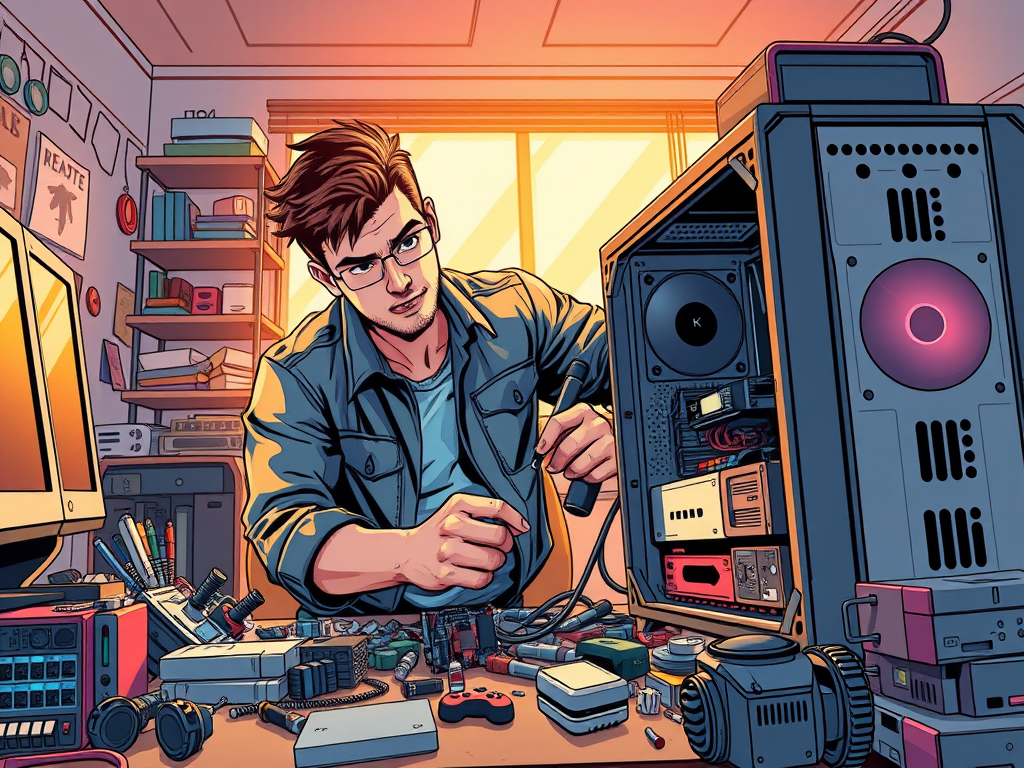
AI-generated image. Take it apart they said, it’ll be fun they said.
Building Your Own Minicomputer
So, can you build a minicomputer yourself? Creating a minicomputer from scratch is no small feat. It requires a deep understanding of computer architecture and electronics. In case you’re wondering, yes, you will have to take some courses before you can think to build your own. The process involves assembling components like a CPU, memory, storage, input/output devices, and a power supply. Additionally, you would need to design and write the operating system and software to run on the machine. But don’t let this discourage you, it is possible and fun. depending on what kind of learner you are.
Minicomputers and Remote Work
Minicomputers were quite capable of supporting remote work, especially with the advent of networking technologies like dial-up modems and later, the internet. Users could connect to the minicomputer remotely to access data and run applications, making them a valuable tool for remote operations.
Where to Find Minicomputers Today
Minicomputers are not widely available for purchase today, having been largely replaced by more powerful and affordable personal computers and servers. However, vintage minicomputers can sometimes be found on online marketplaces or at specialized electronics stores, offering a nostalgic glimpse into the past of computing. Keep in mind, you always want to check the specs before you purchase. These are mini devices, not portable gaming consoles.
AI-generated image. Mini and quantum, aren’t they the same?
Minicomputers vs. Quantum Computing
Minicomputers and quantum computers are fundamentally different. How? Minicomputers are traditional computers that process information in bits (0s and 1s). Quantum computers, on the other hand, leverage quantum mechanics to process information in qubits, which can exist in multiple states simultaneously. This allows for potentially much faster and more complex calculations, but quantum computing technology is still in its early stages of development.
Whether you’re a tech enthusiast or a history buff, the story of minicomputers offers a fascinating look at the evolution of computing technology. From their heyday in business applications to their modern-day counterparts in smartphones and quantum computers, minicomputers have left an indelible mark on the world of technology. Never forget, every device is a tool.
Love learning tech? Join our community of passionate minds! Share your knowledge, ask questions, and grow together. Like, comment, and subscribe to fuel the movement!
AI-generated image.”THE DEBATE IS FINALLY HERE, AND I DON’T KNOW WHY I’M YELLING!!!!”
The Storage Arena Showdown: Unpacking NVMe’s Supremacy Over SATA
When it comes to storage drives, speed and efficiency are crucial—especially for modern computing demands. NVMe (Non-Volatile Memory Express) and SATA (Serial ATA) represent two distinct storage technologies, each with its own advantages and limitations. While SATA has been the standard for years, NVMe delivers groundbreaking speed and performance, making it the go-to choice for high-performance applications. In this discussion, we’ll explore the key differences between NVMe and SATA, their impact on system performance, and how to determine which option best suits your needs.
Speed Unleashed: The Architectural Advantages of NVMe
The Bandwidth Bottleneck Breaker: PCIe’s Direct Lane
The performance chasm between NVMe and SATA primarily stems from their underlying interfaces. SATA III, the prevalent SATA standard for SSDs, operates on a serial interface with a theoretical maximum throughput of 6 Gbps. After accounting for overhead, this translates to real-world speeds hovering around 550 MB/s.
NVMe, conversely, interfaces directly with the PCIe bus. PCIe is a high-speed, point-to-point serial interface designed for high-bandwidth communication between the CPU, memory, and peripherals. A typical NVMe SSD might utilize a PCIe 3.0 x4 lane configuration. Each PCIe 3.0 lane offers a bidirectional throughput of approximately 8 GT/s (gigatransfers per second), which translates to roughly 1 GB/s per lane. Therefore, a PCIe 3.0 x4 NVMe drive boasts a theoretical bandwidth of ≈4×1GB/s=4GB/s (or 32 Gbps). Stepping up to PCIe 4.0 x4, with each lane offering ≈16GT/s (≈2GB/s), the theoretical bandwidth doubles to ≈8GB/s (or 64 Gbps). This fundamental shift from a serial SATA interface to a parallel PCIe interface is the bedrock of NVMe’s speed advantage.
The Power of Parallelism: NVMe’s Command Queue Mastery
Beyond the interface, the communication protocol itself is a critical differentiator. SATA SSDs predominantly use the AHCI (Advanced Host Controller Interface) protocol. AHCI was designed for the sequential access patterns of HDDs and features a single command queue with a limited depth of 32. This serial nature of command processing becomes a bottleneck when dealing with the inherently parallel architecture of modern NAND flash-based SSDs, which consist of numerous independent memory channels.
NVMe, in contrast, is a protocol architected specifically for the characteristics of NAND flash accessed via PCIe. It supports a massively parallel command processing model with up to 65,536 queues, each capable of holding up to 65,536 commands. This allows the host system to issue and the SSD controller to process a vast number of I/O requests concurrently. For workloads characterized by high concurrency and random access patterns, NVMe can fully exploit the parallelism of the underlying flash, leading to significantly superior random read and write performance and sustained high throughput. AHCI’s single, shallow queue simply cannot keep up with the potential of high-performance SSDs under such conditions.
Latency Decimated: The Efficiency of Direct Access
SATA SSDs vs. HDDs: The Solid-State Revolution: The transition from HDDs to SATA SSDs brought about a dramatic reduction in latency. HDDs suffer from mechanical latencies due to the physical movement of read/write heads (seek time) and the time it takes for the desired sector to rotate under the head (rotational latency). SSDs, being solid-state with no moving parts, eliminate these mechanical delays, resulting in access times orders of magnitude faster and much more consistent.
NVMe vs. SATA SSDs: The Protocol and Path Optimization: While both are flash-based, NVMe achieves even lower latency due to its streamlined protocol and direct PCIe connectivity. The NVMe protocol minimizes the number of CPU cycles required to process each I/O request compared to AHCI. Furthermore, the direct PCIe pathway provides a more efficient and less congested communication channel between the SSD and the CPU/system memory, reducing the overall command processing and data transfer time. This lower overhead and more direct path translate to lower queueing delays and thus lower overall latency.
AI-generated image.”Something seems off with my memory’s performance. I may have to make more adjustments.”
Architectural Underpinnings: The Technological Divide
Protocol Efficiency: NVMe’s Optimized Communication
The communication protocol dictates how the host system interacts with the storage device. SATA SSDs, often using AHCI, operate with a protocol optimized for the sequential nature and limitations of HDDs. AHCI’s single queue and command structure introduce overhead when managing the parallel nature of SSDs.
NVMe was designed from the outset to communicate efficiently with non-volatile memory over the high-bandwidth, low-latency PCIe interface. Its multi-queue design allows for parallel command submission and completion, reducing idle time and maximizing the utilization of the SSD’s internal parallelism. The NVMe command set is also more streamlined and directly targets flash memory operations, reducing the translation layers and associated latencies inherent in the AHCI model when applied to SSDs.
The Interface Imperative: PCIe’s Direct Link vs. SATA’s Controller Mediation
NVMe’s requirement for high throughput and minimal latency necessitates a direct connection to the PCIe bus, which offers a high-speed, low-latency pathway to the CPU and system memory. This direct link bypasses the traditional SATA controller as the primary intermediary for data transfer, reducing potential bottlenecks.
SATA, originally conceived for HDDs, connects through a SATA controller that then interfaces with the system bus. While SATA SSDs benefit immensely from the inherent speed of flash memory, their communication is still constrained by the architectural limitations of the SATA interface and the AHCI protocol, which were not designed to fully exploit the capabilities of high-performance NAND flash. The direct PCIe connection of NVMe provides a more streamlined and higher-bandwidth communication channel.
Workload Orchestration: The Significance of Queue Depth
The stark difference in queue depth between NVMe and SATA/AHCI has profound implications for workload management. SATA/AHCI’s single queue with a depth of 32 limits the number of pending I/O requests that can be managed simultaneously. Under high-load conditions, this can lead to serialization of operations and reduced performance.
NVMe’s massive parallel queuing capability allows it to handle tens of thousands of concurrent I/O requests efficiently. This is particularly beneficial for modern multitasking environments, server workloads, and applications that generate a high degree of parallel I/O. The NVMe controller can manage these concurrent requests, scheduling operations across the multiple NAND flash channels of the SSD to maximize throughput and minimize latency, leading to significantly better performance under demanding, parallel workloads.
Practical Implications: Use Cases and Trade-offs
The Enduring Appeal of SATA SSDs: Balancing Cost and Performance
Despite NVMe’s clear performance lead, SATA SSDs maintain relevance due to:
Economic Efficiency: SATA SSDs typically offer a lower cost per gigabyte, making them attractive for users prioritizing capacity within a budget. For many everyday computing tasks, the performance uplift over HDDs provided by SATA SSDs is substantial and sufficient.
Broad Compatibility: The SATA interface is widely supported across a vast range of hardware, from older laptops and desktops to current systems. Upgrading an older machine to an SSD often means opting for a SATA drive due to interface limitations.
Adequate Performance for Common Tasks: For general productivity, web browsing, and even many gaming scenarios, the speed of a SATA SSD provides a significant improvement over HDDs, and the additional speed of NVMe might not always translate to a perceptibly better user experience.
Gaming’s Storage Evolution: Beyond Mere Loading Times
While a SATA SSD dramatically improves game loading times compared to an HDD, NVMe is becoming increasingly relevant for gaming, driven by:
DirectStorage Technology: This innovative technology allows GPUs to directly access NVMe SSDs, bypassing the CPU for certain data transfers. This promises to significantly reduce loading times and enable new approaches to game asset streaming, potentially leading to richer and more seamless open-world experiences. While functional on SATA SSDs, the bandwidth advantages of NVMe make it the ideal partner for DirectStorage.
Future Game Design: As games become more complex and asset-heavy, the high bandwidth of NVMe SSDs will likely be increasingly leveraged by developers to optimize streaming and reduce loading bottlenecks.
Currently, a SATA SSD provides an excellent gaming experience, but NVMe offers a glimpse into the future of faster loading and potentially more efficient asset management within games.
Professional Workflows Accelerated: NVMe’s Productivity Boost
In professional applications dealing with large datasets and intensive I/O operations, NVMe SSDs offer a tangible boost in productivity:
High-Resolution Media Editing: The sustained high read and write speeds of NVMe drives significantly accelerate tasks like video rendering, timeline scrubbing, and the loading/saving of large media files.
Data Science and Machine Learning: The rapid loading and processing of large datasets, common in AI/ML workflows, benefit immensely from NVMe’s high throughput and low latency, reducing training times and improving iteration speed.
Engineering and Design: Applications like CAD/CAM and scientific simulations that work with large models and datasets see significant improvements in file handling and overall responsiveness with NVMe storage.
For professionals, the investment in NVMe often yields a direct return in terms of time saved and increased efficiency.
AI-generated image.”I need the computing power, but I don’t have enough money. Man, why did I have to suffer from R.N.P (real-nerd-problems)?”
The Economic Landscape: Cost and Accessibility
The Affordability of SATA: A Mature Market
The lower cost of SATA SSDs is a result of:
Established Manufacturing Processes: Years of production have optimized manufacturing costs for SATA components.
Component Pricing: Controllers and NAND flash used in SATA SSDs can sometimes be less expensive than their high-performance NVMe counterparts.
Market Scale: The widespread adoption of SATA has led to greater economies of scale.
NVMe’s Premium: Performance at a Price
The higher cost of NVMe SSDs reflects:
Advanced Technology: The controllers and interfaces required for NVMe’s performance are often more complex and costly to produce.
Higher Performance Components: High-end NVMe drives often utilize premium-grade NAND flash and sophisticated controller architectures.
Market Demand: The demand for high-performance storage in enthusiast and professional segments contributes to the higher pricing.
The Price-to-Performance Calculus: Finding the Sweet Spot
When comparing entry-level SATA and budget NVMe SSDs:
Entry-level SATA SSDs provide a significant performance upgrade over HDDs at a very competitive price, offering excellent value for general computing needs.
Budget NVMe SSDs typically cost a bit more but offer superior sequential read/write speeds, making them attractive for users who frequently transfer large files or want slightly faster boot and application load times. The price-to-performance ratio can be quite compelling for those who can leverage the faster speeds.
Choosing between NVMe and SATA depends on your performance requirements and budget. NVMe drives offer blistering speeds, making them ideal for gaming, video editing, and data-intensive workloads, while SATA remains a reliable and cost-effective solution for everyday computing. Understanding the strengths and limitations of each technology empowers users to make informed storage decisions that maximize efficiency and longevity. As storage technology continues to evolve, NVMe is rapidly becoming the new standard—but SATA still holds value for those seeking affordability and stability.
Key Takeaways
Interface is King: NVMe’s direct PCIe interface offers significantly higher bandwidth (multiple GB/s) compared to SATA III ($\sim$0.6 GB/s), fundamentally enabling faster data transfer speeds.
Parallelism Matters: NVMe’s architecture and protocol are designed for massive parallelism with deep queues, allowing it to efficiently handle the concurrent nature of modern SSDs and workloads, unlike SATA/AHCI’s more serial approach.
Latency Benefits NVMe: NVMe achieves lower latency than SATA SSDs due to its streamlined protocol and direct PCIe connection, leading to snappier system responsiveness.
Protocol Efficiency Drives Performance: NVMe’s protocol is specifically optimized for non-volatile memory and PCIe, reducing overhead compared to SATA/AHCI, which was originally designed for HDDs.
Queue Depth Impacts Workload Management: NVMe’s vastly superior queue depth allows for more efficient handling of demanding, parallel I/O workloads common in professional applications and server environments.
SATA Still Holds Value: SATA SSDs remain a cost-effective and widely compatible upgrade, providing a significant speed boost over HDDs and sufficient performance for many everyday tasks and even gaming.
NVMe’s Growing Relevance: NVMe is increasingly beneficial for gaming (especially with DirectStorage) and professional applications where high bandwidth and low latency directly translate to improved productivity.
Cost vs. Performance Trade-off: SATA SSDs generally offer a better price-per-gigabyte, while NVMe SSDs command a premium for their higher performance. The “best” choice depends on individual needs and budget.
Love learning tech? Join our community of passionate minds! Share your knowledge, ask questions, and grow together. Like, comment, and subscribe to fuel the movement!