Filing MatchBox 20 Error

Consider following on social media!

Quick note: if you’re viewing this via email, come to the site for better viewing. Enjoy!

We’re not MatchBox 20 but we’re good enough!
Photo by Thibault Trillet, please support by following @pexel.com

Oh boy, if you’re a Matchbox 20 fan, you might not be too thrilled about this one. The cyber world has been going crazy with ransomware attacks, and it seems like every day there’s a new victim of some nasty malware that leaves them twerking for Jesus until the next payday.

With the addition of ransomware bearing the name of one the most popular songs from the beloved 2000s, which isn’t cool at all and has us realizing it’s 3 AM and that even we are feeling quite lonely.

We are going to look at what is this attack, who is using it, what are the effects upon release, and what are some ways you prevent yourself from being kept up until 3 AM.

Why does this god-awful thing keep going off at 3 in the morning!?
Photo by Miriam Alonso, please support by following @pexel.com

The Attack

If you have been gone for some time, then maybe it’s time to come back home and find out what strain of ransomware is on the market as of late. To quickly cover what ransomware is for those who might not know, ransomware is a type of malware that encrypts your data and threatens to expose it or delete it unless you pay a ransom.

This is on par with finding your boss in a nightclub when they called out sick that day and you video them to later use as leverage for a bigger paycheck. Blackmailing aside, this strain of ransomware is named “3 AM”, not for the reason you may think. It’s not set to go off at 3 in the morning to collect your information.

Its name derives from its file extension displayed as “.threeamtime”. This is added to all encrypted files changing them from “one.jpg” to “one.jpg.threeamtime”. In case 3 AM fails to influence its victim into making a payment it’s paired with LockBit, which is another ransomware that can spread across networks and lock down devices.

Guys, you are aware hackers don’t actually look like me right? Why are you profiling?
Photo by lil artsy, please support by following @pexel.com

Who Can It Be Now

No threat actors have been named for using 3 AM ransomware but according to cybersecurity experts, it is possible that multiple threat actors are using this malware for various purposes.

So, if you receive a message saying that your data has been encrypted and you need to access the dark web to negotiate a ransom and it’s your first time. Welcome to some hard truths which are don’t count on getting a real name, your ransom being a fixed price, or getting your data restored.

Also, enjoy your stay, despite it being the dark web where the most illegal activities like hacking, drug trafficking, and selling people’s information take place, the dark web may have candy. And who doesn’t like candy?

Enjoy the read so far? Why don’t you consider subscribing so you can keep up to date?

I am here to steal nothing, I promise.
Photo by Anna Shvets, please support by following @pexel.com

That Sinking Feeling

Speaking of candy, how would someone end up with a problem like this, you may be wondering. One of the various ways that ransomware can infect your computer is through phishing emails.

Posing as a legitimate source, such as a company or an organization, they could ask you to click on a link or download an attachment. For example, you may receive an email from Hacking-U-Made-Fun Inc. that says, “Please click on the link provided for you, and confirm the documents attached.”

However, when you click on the link or download the attachments, you are actually installing malware onto your computer. The malware then ventures off to encrypt all files (depending on its coding) and demands payment to restore them.

This is on par with someone breaking into your house, putting a lock on the fridge, and demanding you pay $5,000 in Bitcoin to take the lock off.

Cop: spread em!
Guy: Hey, you ever heard Scriptingthewhy?
Cop: No.
Guy: They’re pretty great, they talk about cybersecurity and stuff.
Cop: That’s great, you’re still going to jail. But I’ll grab the link from you at booking.
Photo by Kindel Media, please support by following @pexel.com

The Prevention

Wondering how to prevent this? The foolproof way is to never interact with it in the first place, but security is never 100% and if anyone is offering 100% security, you should run the other way.

There are steps that could be taken to minimize encountering 3 AM and LockBit. Some security practices are to be cautious when opening email attachments, especially from unknown or suspicious senders.

Updating your operating system and anti-virus/malware regularly will help you detect and remove 3 AM and other threats. Avoid downloading software from untrusted sources or using third-party installers because these may run the chance of bundling 3 AM and other malware. And trust when we say, you don’t want this a part of your album.
Subscribe now or the next time we meet, I’ll charge you more than just the food in your fridge.
Photo by Anna Shvets, please support by following @pexel.com

Made it this far and found this to be entertaining? Then a big thanks to you and please show your support by cracking a like, sharing this with whomever, scripting a comment, or plug-in to follow.

Would like to give sincere thanks to current followers and subscribers, your support and actions mean a lot and has a play in the creation of each script.

Do you feel like there is something I may have missed on 3AM ransomware? Script a comment below.

Tears for Fears Spreader Event

Quick note: if you’re viewing this via email, come to the site for better viewing. Enjoy!

Can’t wait to clear out this inbox. Oh? What’s this? A new script?
Photo by Andrea Piacquadio, please support by following @pexel.com

So you’re at your computer fast clicking through emails and you find one from Dave. You think to yourself, “I haven’t seen or heard from Dave for quite some time.” Dave is a friend from college if you went due to upbringing or peer pressure. And if you didn’t attend college, just know that Dave is someone you’re familiar with for the crucks of this story.

After viewing the email from Dave, you notice that the context of the conversation seems to be a bit off however, you figure it’s been a while and it would be nice to catch up on lost time.

You find that Dave had left an attachment at the bottom of the email and decided to check it out. After interacting with the attachment, you’re hit with a notification saying “We have downloaded all your files and encrypted them. You have 48 hours to pay a lump sum via Bitcoin or they will be deleted forever.” Big evil, diabolical laugh placed here.

Let me script the kind of event you may be facing here.

Peter: Oh look, Dave sent me an email!
William: Sir, are you sure that’s Dave? This email looks questionable.
Peter: Will, I’m tired of you and your lack of faith.
Photo by LinkedIn Sales Navigator, please support by following @pexel.com

Dave, not so Dave

The event you triggered is called ransomware, this is the act of gaining access to a target’s machine, collecting, and encrypting the data, and withholding it for ransom.

Many companies, big and small have encountered this at one point or another but the only difference between them and you are…well they usually have the money on hand to pay off the ransom whereas a regular person on the other hand may have a panic attack accompanied by the urge to run out and go play a game of Frogger.

Some time ago, certain ransomware surfaced going by the name of WannaCry. WannaCry had other names like WannaCypt and Wanna Decryptor but the end result was still the same.

Break in, collect, and encrypt the data, demand a nice close to unpayable ransom, and flake on the deal.

This isn’t how WannaCry looked but oh, I see what you did there.
Photo by Ketut Subiyanto, please support by following @pexel.com

Tears World Wide

So, how big of an effect did WannaCry have on the world? WannaCry was quite impactful, like a bully waiting for you outside of school at 3 o’clock wanting to punch your ever-loving lights out and you have no idea as to why, WannaCry knocked out more than 200,000 computers as a result quickly spreading across a span of about 150 countries.

This was a quick widespread infection that led corporate networks to panic which in turn led to catastrophic costs in billions of dollars in damages.

WannaCry even though it’s not prominent today and the event has been dealt with by a man going by the name Marcus Hutchins finding a kill switch, he inadvertently stopped the attack by registering a web domain found in the malware’s code. Didn’t know such a thing was possible but learning something new every day doesn’t hurt…well, not as much.

Enjoy the read so far? Why don’t you consider subscribing so you can keep up to date?

Hope you like your malware extra spicy.
Photo by Pixabay, please support by following @pexel.com

Spicy Malware

If you’re curious as to how WannaCry did its thing, don’t worry, you’re in good digital hands. WannaCry had a worm component to make it extra spicy.

Computer worms, if you’re not familiar with them, could infect other devices nearby without the need for interaction. This means that when a worm gets in, it immediately looks for other vulnerabilities and replicates itself, that way it doesn’t party alone.

Back to WannaCry, when it had found a device to infect, it would encrypt files, images, documents, and all those questionable videos that you made and stored on a hidden part of your c: drive labeled “I look good in my birthday suit, and you can’t tell me otherwise.”

There was no hacking of your computer on that one, just a lucky guess. But like with your interaction with Dave, when you click on the attachment you run the risk of all of that being lost.

Professor Ed: Folks, today we have to learn about handling questionable emails.
Student: What makes emails questionable?
Professor Ed: It’s questions like that is why you’re taking this training course.
Photo by RDNE Stock project, please support by following @pexel.com

Positive Ransom-forcement

What are some steps you can take to ensure your information doesn’t sign you up for a ransom note? Simple, avoid reconnecting with friends from school, it never ends well.

When receiving an email with any redirection be it a link or downloading of anything, cross-check with the sender to see if it’s in fact them and you are not getting spoofed.

Having an up-to-date anti-virus and up-to-date OS always helps as these patches are frequently released to prevent possible infection of your machine.

To owners of a business, have your staff properly trained in being aware of what to look for in suspicious emails.

Frequently back up your data on another device such as an external drive, that way if your information gets encrypted you can restore it from the last save.

If you do find that your device is infected, quickly isolate your system before it has a chance to extend its infection to other devices on your network.

It has been known that when dealing with a ransomware situation paying the ransom doesn’t guarantee the attacker will release your data back to you, they may in turn keep your data locked and sell it to other interested parties. All in all, just avoid it if possible.   

Professor: That’s excellent Tracy. How did you know about ransomware like this?
Tracy: Oh, I read a few scripts here and there.
Photo by Yan Krukau, please support by following @pexel.com

Made it this far and found this to be entertaining? Then a big thanks to you and please show your support by cracking a like, scripting a comment, or plug-in to follow.

Would like to give sincere thanks to current followers and subscribers, your support and actions mean a lot and has a play in the creation of each script.

Do you feel like there is something I may have missed on WannaCry? Script a comment below.

Cats & Hat Tricks

Consider following on social media!

Quick note: if you’re viewing this via email, come to the site for better viewing. Enjoy!

Yes human, keep petting me in hopes that I never turn on you.
Photo by Anna Alexes, please support by following @pexel.com

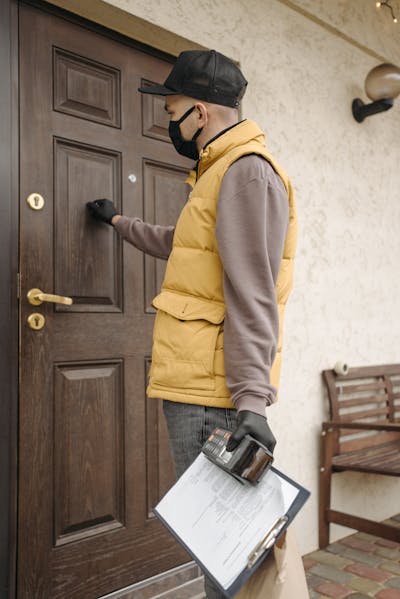
They are not Cats in a Hat and the eggs they offer will scramble your ham. If these cats come knocking at your door it’s not a good thing. Charming Kitten has employed a malicious tactic which is causing some major issues. We’re going to look at the attack, who is using it, the functionality and effects upon its release, and what are some ways to keep safe from these kittens dropping a plate at your doorstep.

That’s right kitty, you’re about to be exposed.
Photo by Cong H, please support by following @pexel.com

The Attack

Knocking on your door, what is this attack? Look no further than what’s being called “NokNok”. This is a backdoor type of malware, kind of like a trojan, that is targeting macOS (Mac Operating Systems).

Window users don’t let your hair down, you’re on the menu too. Like with trojans, once it’s in, it creates a backdoor for later entry and the victim won’t have a clue until it’s too late.

Jenny: Honey, the script said hackers, we can still trust the cat.
Brad: I still think we should get rid of it just in case.
Photo by Vlada Karpovich, please support by following @pexel.com

Who Can It Be Now

Now don’t let the name Charming Kitten fool you, there’s nothing cute about these cats. They are an Iranian government cyberwarfare group classified as an advanced persisting threat (APT) and have gone by other names such as APT35, Phosphorus, Ajax Security, and NewsBeef.

Enjoy the read so far? Why don’t you consider subscribing so you can keep up to date?

Things getting out of hand tend to take off.
Photo by SpaceX, please support by following @pexel.com

That Sinking Feeling

In this cyber-espionage comes the war you never wanted. Their targets include circles of US foreign affairs and nuclear security. Their attacks involve email phishing attempts, which could be considered whale phishing, to a nuclear security expert at the U.S.-based think tank, focused on foreign affairs to deliver a troublesome link to a Google script macro that would redirect to a Dropbox URL (Uniform Resource Locator) housing a RAR (Roshal Archive) archive.

Once presented with this file, an LNK dropper sets off a multi-stage process to deploy GorjolEcho, in turn, shows a decoy of a PDF document while awaiting the payload from a remote server. If it recognizes that it is in an Apple or MacOS, it will tweak its operation by sending a second email with a ZIP archive storing a Mach-O binary that masks as a VPN (Virtual Private Network) application. In truth, this would be an AppleScript to contact the remote server to download the payload to run the Bash script for the backdoor calling NokNok.

NokNok then retrieves modules that are able to gather information as to the running process, installed applications, and metadata from the system. The threat actor uses a fake file-sharing website which likely functions as a footprint for visitors and tracks new victims.

Out of all this, just know once it’s in it begins to collect information on the machine and user or users in secret.

Looks like that time for some awareness training.
Photo by cottonbro studio, please support by following @pexel.com

The Prevention

Charming Kitten has a high degree of adaptability because it can target both MacOS and Windows. It is strongly recommended when going through emails that caution is exercised.

Emails with attachments or links could be infectious which could put your machine at risk. Never download from untrusted or unknown sources as this could house malicious malware.

Always use and keep up to date with the anti-virus software as this will alert you to any danger on your machine. Frequent scanning of your computer should help safeguard you from experiencing a NokNok at your door.

I have a malware package from “We are Cats-To-Go.”
Photo by Pavel Danilyuk, please support by following @pexel.com

Made it this far and found this to be entertaining? Then a big thanks to you and please show your support by cracking a like, sharing this with whomever, scripting a comment, or plug-in to follow.

Would like to give sincere thanks to current followers and subscribers, your support and actions mean a lot and has a play in the creation of each script.

Do you feel like there is something I may have missed on NokNok? Script a comment below.