Wedded with A Shell of Problems

Consider following on social media!

Quick note: if you’re viewing this via email, come to the site for better viewing. Enjoy!

Kim: I’m leaving, it’s time to read another script anyway.
Brian: What!? I told you, them scripts are nonsense.
Kim: Then why do we still have money in our bank account?
Photo by Keira Burton, please support by following @pexel.com

No wait, you don’t have to twist our arm! We can talk about payment options. It should be common knowledge by now that clicking on links sent to you by “someone you may know” could land you in hot water with your computer, household, work, and bank.

But you’re not the only one who has to keep an eye out for phishing emails, big name companies are getting hit and are paying the price for it… well not only paying with money but with time. 

We’re going to look at what kind of attack this is, who may have used it, what’s the functionality and effects upon its release, and some ways you can prevent this… well, at least try.

Ransomes are like this, except at the time of demand you have less money.
Photo by Tima Miroshnichenko, please support by following @pexel.com

The Attack

For those who are not familiar with ransomware attacks, we’ll quickly explain. With some phishing email attempts, sometimes depending on the threat actor’s goal, a link will be provided for you to click on.

Once you interact with the link and let’s say you downloaded a file, the malicious file can then run in the background and collect all of your data and encrypt it.

Afterward, a prompt will come up saying “We’ve collected your data and encrypted it, if you want it back then pay this amount through Bitcoin.” Usually, there is a timeframe accompanied by the prompt.

While the average person comes across this kind of attack, companies have been experiencing ransomware attacks lately and it doesn’t show any signs of stopping.

Lord, hackers get clever day by day. I’m tired.
Photo by Andrea Piacquadio, please support by following @pexel.com

Who Can It Be Now

Clop, a ransomware gang affiliate of Russia is one among many requesting payments in the highest form and has been named for using this tactic. Clop has been known to request payment in, not only hundreds, thousands, but also in the millions for companies to get their information back and kept from being released.

Clop has recently launched a ransomware campaign against a few companies claiming to have collected their data and threatening to leak it to other threat actors but the biggest among them is the gas and oil company known as Shell.

However, in most if not all cases, paying the ransom only fuels the threat actors to commit more ransomware attacks.

Enjoy the read so far? Why don’t you consider subscribing so you can keep up to date?

Kate: Who is that lady coming up behind us? Is she on the list?
Marshall: Look ahead of us, not behind us. Those days are over.
Photo by Carsten Vollrath, please support by following @pexel.com

The Sinking Feeling

Like an affair being exposed at a wedding, there are many factors that lead up to this event. A complex approach is becoming a part of the organization, working hard to rise in the ranks and gain a high enough level of privilege to access where sensitive data is being kept and installing malicious malware onto their systems.

The other and least complex is spear-phishing or even whale-phishing. Whale-phishing is aimed for someone like the CEO of the organization while spear-phishing is aimed for certain personnel who may have the level of privilege needed to fall victim to the ransomware attack.

Once a target has been chosen and unfortunate enough to not pay attention to the ongoings of clicking on the provided link, a number of actions are set in motion.

A file or folder holding the malware is downloaded onto the machine. That malware is then released and depending on its program it could either collect the data and encrypt it or copy the collected data, encrypt it, and delete the files leaving behind empty files and directories.

Once information aggregation is complete, whatever is collected is sent back to a command and control (C2C) server for the threat actor to decide what is important and what they would like to do with the information.

So, yeah, this is like having the side chick show up on your wedding day when you’re just trying to get married. The moral of the story is; don’t have a side chick if you care about keeping your information secret.

You’d be surprised, a good chunk of time hacking takes place in a GUI rather than the command line.
Photo by Sora Shimazaki, please support by following @pexel.com

The Prevention

Now, don’t panic, there are some ways you can prevent this. Since most of the time this is done by phishing attempts, practicing examining emails, and looking for things like questionable grammar, grammar Nazis this is where you can shine with your superpower and people will love you.

The option for you to hover your mouse over the link and see where it would take you is there although I won’t really suggest this as some people may be heavy-handed and accidentally click on the link.

Copying and pasting the link into Google’s search engine could also help id if the link is legit or not. If you do click on the link and are redirected to a website, leave immediately and pay attention to your downloads as visiting the website may have a drive-by download—this is where a download happens without your interaction, if this happens delete the files immediately and scan the computer. Keeping the antivirus software, OS (Operating System), and employee awareness training up to date will help ensure ransomware attacks are kept at bay.

Security isn’t a hundred percent guaranteed but not having something in place guarantees a hundred percent chance of an infection.
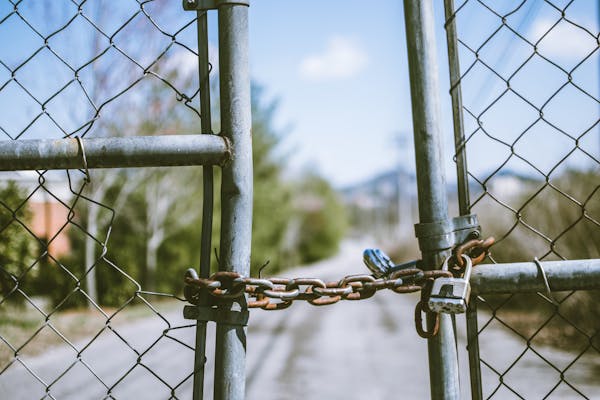
A little security is better than no security at all.
Photo by Travis Saylor, please support by following @pexel.com

Made it this far and found this to be entertaining? Then a big thanks to you and please show your support by cracking a like, sharing this with whomever, scripting a comment, or plug-in to follow.

Would like to give sincere thanks to current followers and subscribers, your support and actions mean a lot and has a play in the creation of each script.

Do you feel like there is something I may have missed on ransomware attacks? Script a comment below.


Ransom, Malwares & Joseph

Consider following on social media!

Quick note: if you’re viewing this via email, come to the site for better viewing. Enjoy!

someone writing in a notebook
Pen pals were the old school catfishing back in the day.
Photo by lil artsy, please support by following @pexel.com

Hey, do you remember the time when you could check the email that you had gotten from a random stranger and have nothing to worry about? Like the thought of you and them becoming pen pals was a possibility.

No, of course, no one would think that way since we’re all trained, due to our parents from a young age to stay away from strangers. However, let’s say that you did, and you were curious as to how this random chance of friendship would play out.

You email each other back and forth and things are going swell, right up until you get a notification saying, “You have twenty-two hours to hand over $65,356.34 if you want any chance of getting your computer back to normal and your dirty little secrets from being exposed.” This scenario isn’t exactly how the attack plays out, but you get the idea, your pseudo-friend has dirt on you and wants you to pay up or else.

two men sat across from each other.
Jake: I’m going to make you an offer you can’t refuse.
Steve: I refuse.
Jake: Okay, I didn’t see that coming so quickly. Oh gosh, you didn’t even think about it.
Photo by cottonbro studio, please support by following @pexel.com

You got Blockbuster

So back in 1989, hot movies were being released like Road House, Batman, and Indiana Jones and the Last Crusade, and the internet was booming. There was the raise of AOL or what’s better known as America Online, the movie The Godfather had been out for some years before then and people were drawing inspiration from the famous line that most jobs and now what seems like the current stance of every landlord, utility service provider, or insurance company are saying, “I’m going to make you an offer you can’t refuse.” Someone who may have taken inspiration from this movie was Joseph L. Popp.

A Harvard-trained evolutionary biologist who was the first person ever to create a ransomware virus. For those who don’t know, ransomware is a type of malware that acquires the victim’s information and denies access until the demands are met. These demands could be sending money, demanding the “truth” if it’s an activist act, or sending nudes. That last one was silly but I’m sure there’s some hacker out there using ransomware on Only Fans accounts for nudes.

Along with the creation of ransomware came interesting names such as “AIDS Trojan” and “PC Cyborg”. Popp made like capitalism and capitalized on the AIDS epidemic by sending out 20,000 infected diskettes labeled “AIDS Information” to people of the World Health Organization or widely known as W.H.O.

a photo of a diskette
Most if not all people of today have no clue what this is. Let me introduce you to the diskette.
Photo by Pixabay, please support by following @pexel.com

The diskettes housed malicious code able to hide file directories, lock file names, and demand victims send $189 to a PO Box in Panama to get their information back. This was the first generation of ransomware, and things have become more advanced since then.

man looking evil with a glass of scotch.
I drink, code viruses, and know things…for the right price.
Photo by cottonbro studio, please support by following @pexel.com

Father of Ransoms

After Joseph was deemed “The Father of Ransomware”, what category of people came to follow in his footsteps, not only to use but later improve this malware? They are called hackers and just a side note; anyone can use malware making them cyber-attackers, but I’m going to use hackers since their main objective is to exploit for profit.

Hackers tend to use ransomware via various methods such as phishing emails with malicious files attached, and drive-by downloading – a method where a file is downloaded without your interaction. And finally spoofing – is another method where a hacker is posing as a trusted entity.

Hackers can often obtain Ransomware-as-a-Service (RaaS) or malware-for-hire which has easier use and is cost-efficient for performing ransomware attacks. This is insane because this means hackers actually have a budget created to perform cyber-attacks. There are several ransomware variants, some of which could have you buck-naked out in the cold (or heat, depending on when and where you’re at in the world).

Popular ones are Ryuk – delivered through spear-phishing emails or gaining access to a desktop remotely, this variant can encrypt certain files avoiding the crucial ones for the computer’s operation and presenting the demand for ransom.

Ryuk can account for an average of $1 million. Maze can combine file encryption and data theft, this is done with the intent that if the victim decides not to pay the ransom their information could be exposed, sold online, or both.

REvil also known as Sodinokibi is a variant that has large organizations on the menu. This variant has been responsible for a number of large data breaches, a couple being “Kaseya” and “JBS” and has been known to have demanded a ransom of $800,000.

Lockbit, operating since September 2019, this variant rapidly encrypts data to prevent detection by security appliances and SOC (System and Organization Control) teams. There are a couple of other variants but at this junction, you pretty much get the point, they get access to your information, lock you out, and hold it for ransom.

Enjoy the read so far? Why don’t you consider subscribing so you can keep up to date?

man sat holding his face.
What makes you think I can pay this ransom when I can’t even pay my rent?
Photo by Wallace Chuck, please support by following @pexel.com

Payments Not Made

Being hit with a ransomware attack is insanely dangerous and many vital organizations such as hospitals and public services have experienced significant losses from it as not paying the ransom can halt access to critical care.

Paying the ransom can lead to a chain reaction of events, a few being loss of the money used in ransom payment, productivity time lost, and the need to hire IT for disaster and recovery. And choosing not to pay the ransom could lead to whatever consequences the hacker has set in place.

So, how do you stop your information from being held against you? Well, there are a number of ways, most of which are pretty basic and get overlooked every day since we’re all creatures of habit.

Avoid clicking on links sent via email or other messaging means, staying away from compromised websites, ones where you may get a warning from your browser which displays “This site is not secure and may be unsafe, turning back is recommended.” Heed this warning as it may save you and your computer from being hit with a drive-by download.

And the most likely out of the bunch, if you suffer from being attracted to shiny things as I do, are ads that may pop up on your screen. A malicious link could be hidden within the ad to redirect you to an un-secure site for some non-consent time for your computer.

person sat with a mask in a hoodie holding a bank card.
Subscribe today so you or someone you know doesn’t have to experience ransomware or I will gain access to all your secrets.
Photo by Tima Miroshnichenko, please support by following @pexel.com

Made it this far and found this to be entertaining? Then a big thanks to you and please show your support by cracking a like, sharing this with whomever, scripting a comment, or plug-in to follow.

Would like to give sincere thanks to current followers and subscribers, your support and actions mean a lot and has a play in the creation of each script.

Do you think there’s something I missed on ransomware and want to add? Script a comment below.

Protect Yourself from Fake Browsers: Spotting, Guarding, and Engaging

Key Takeaways

  • Fake browsers are dangerous imposters that steal data and expose you to online threats.
  • Signs of a fake browser include unusual performance, strange URLs and branding, and uninvited extensions.
  • Using a fake browser can lead to data theft, malware infection, and phishing attacks.
  • Protect yourself by downloading browsers from official sources, keeping software updated, using security software, and considering browser extension blockers.
  • Beware of fake browser update scams and know that headless browsers are a legitimate tool.
Keep in mind what doors you open.
Photo by Dids, please support by following @pexel.com

Introduction

Imagine your web browser, the key to unlocking the vast world of the internet, leading you down a dark alley instead. Fake browsers, malicious software masquerading as legitimate ones, pose a significant threat to online security. They lurk in the shadows, waiting to steal your information and expose you to online dangers.

Recognizing a Fake: Trust But Verify

Spotting a fake browser demands a healthy dose of skepticism. Here’s how to tell the imposter from the real deal:

  • Suspicious Performance: Frequent crashes, unusual slowdowns, and an overwhelming presence of ads are potential red flags. A legitimate browser should run smoothly and prioritize user experience.
  • URL Shenanigans and Branding Blunders: Scrutinize the download page URL and branding within the browser. Misspellings, odd domain names, and logos that seem slightly “off” are signs of trouble.
  • Uninvited Guests: Pre-Installed Extensions and Features: Beware of browsers that come pre-loaded with extensions or features you never opted for. These could be tools for snooping on your activity or injecting malware.

The Perils of Deception: What Lurks Beneath the Surface

The consequences of using a fake browser can be dire:

  • Data Theft Extravaganza: Fake browsers can record your keystrokes, passwords, browsing history, and other sensitive information, leaving you exposed and vulnerable.
  • Malware Menagerie: They can act as gateways for malware, unleashing a torrent of viruses, ransomware, and other malicious programs that can damage your device and steal your data.
  • Phishing Phantoms: Fake browsers can redirect you to cleverly disguised phishing websites. These mirror legitimate sites, tricking you into surrendering your personal information to cybercriminals.
You can lessen the work for your anti-virus software by learning security best practices.
Photo by Alexander Zvir, please support by following @pexel.com

Building Your Digital Fortress: Protecting Yourself from Fake Browsers

Knowledge is the first line of defense against online threats. Here’s how to fortify your defenses:

  • Download from the Source: Trust Only the Official Gates Always download browsers directly from their official websites or trusted app stores. Avoid third-party sources that could be harboring disguised malware.
  • Software Updates: Your Digital Armor Regular updates often include security patches that plug vulnerabilities exploited by fake browsers. Keeping your software current is crucial.
  • Security Software: Your Digital Guard Dog Utilize reputable antivirus and anti-malware software to detect and block potentially harmful fake browsers before they can infiltrate your system.
  • Consider Browser Extension Blockers: An Extra Layer of Security Explore reputable browser extensions designed to block access to malicious websites. This can add an extra layer of protection.

Engage with Us: Share Your Experiences and Fight the Threat

Have you ever encountered a fake browser? Share your experiences and any tips you may have in the comments below. Let’s work together to raise awareness and create a safer online environment for everyone. Remember, informed users are empowered users.

Oh you guys don’t me, just keep doing what you’re doing.
Photo by SHVETS production, please support by following @pexel.com

Fake Browser Update Scams: A Sneaky Tactic

Be wary of pop-up messages or website prompts urging you to download a browser update. Legitimate browsers typically handle updates automatically or notify you through trusted channels, not through random websites.

Headless Browsers: Not Inherently Evil

You might encounter the term “headless browser” during your research. These are legitimate browsers used for automation purposes, often invisible to the user. Knowing this distinction can prevent confusion when encountering the term.

Conclusion: Knowledge is Power, Stay Secure

Love learning tech? Join our community of passionate minds! Share your knowledge, ask questions, and grow together. Like, comment, and subscribe to fuel the movement!

Don’t forget to share.

Every Second Counts. Help our website grow and reach more people in need. Donate today to make a difference!

One-Time
Monthly
Yearly

Make a one-time donation

Make a monthly donation

Make a yearly donation

Choose an amount

$5.00
$15.00
$100.00
$5.00
$15.00
$100.00
$5.00
$15.00
$100.00

Or enter a custom amount

$

Your contribution is appreciated.

Your contribution is appreciated.

Your contribution is appreciated.

DonateDonate monthlyDonate yearly