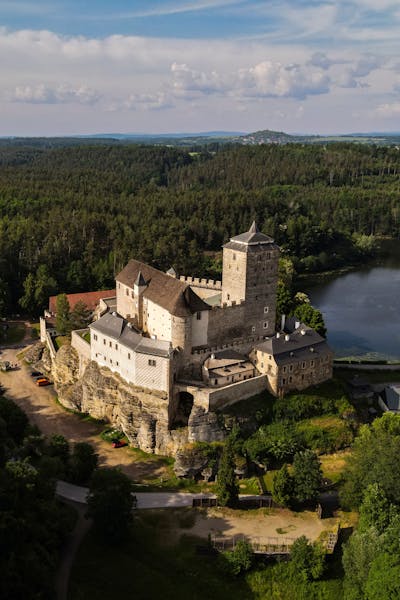
The Evolution of Privacy: From Physical Locks to Digital Encryption

Key Takeaways

The Importance of Privacy

  • Privacy is crucial in both the physical and digital worlds.
  • Protecting personal information is paramount in today’s digital age.

The Evolution of Privacy

  • Privacy has been a concern throughout history.
  • Methods of protecting privacy have advanced from physical locks to digital encryption.

Password Security

  • Strong passwords are essential for digital security.
  • Keyboard walk passwords are weak and easily guessable.
  • Using strong, complex passwords is crucial to prevent unauthorized access.

The Consequences of Weak Passwords

  • Weak passwords can lead to significant consequences, including identity theft and financial loss.
  • Cybercriminals often target weak passwords in their attacks.

Best Practices for Password Security

  • Create strong, unique passwords for each account.
  • Use a combination of uppercase and lowercase letters, numbers, and special characters.
  • Avoid common patterns and easily guessable information.
  • Utilize a password manager for secure storage.
  • Regularly update passwords.

Organizational Responsibility

  • Organizations have a role in promoting strong password practices.
  • Employee education and robust security policies are essential.
  • Continuous monitoring and threat response are crucial.

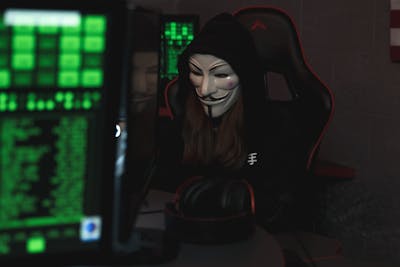
We know you’re home. We just want to talk to you about your extending your computer’s warranty.
Photo by Noelle Otto, please support by following @pexel.com

The Importance of Privacy in the Digital Age

Privacy is a critical aspect of our lives, and its importance cannot be overstated. In today’s digital age, where information is easily accessible and shared, maintaining privacy has become more challenging yet more crucial than ever. Whether it’s locking the doors of our homes, securing our cars, or protecting our online accounts, keeping our personal information safe is paramount. Although, some would argue that if hackers get into their accounts, they’re just practicing. To those people, we say, “Keep reading to find out just how wrong you are.”

The Evolution of Privacy

Historically, privacy has always been valued. From ancient times when people used physical locks and secret codes to protect their belongings, to the modern era where digital encryption and cybersecurity measures are employed, the methods of safeguarding privacy have evolved significantly. However, the fundamental principle remains the same: keeping secrets secret.

The Digital Lock and Key

In the digital world, the concept of a lock and key translates to passwords and encryption. Just as we wouldn’t use a flimsy lock for our homes, we shouldn’t use weak passwords for our online accounts. The strength of a password is akin to the strength of a lock – the stronger it is, the harder it is for intruders to break in.

Understanding Keyboard Walk Passwords

What is a Keyboard Walk Password?

A keyboard walk password is created by moving sequentially over the keyboard keys in a pattern that resembles walking. These passwords are formed by keys that are next to each other on the keyboard, such as “qwerty” or “asdfgh.” This pattern can be in a straight line across, vertically down, or in a zigzag pattern. In a sense, this is hitting the easy button for creating passwords. Never hit the easy button when it comes to your security.

Why Do People Use Keyboard Walk Passwords?

End users often create keyboard walk passwords because they are easy to remember. When given the choice of prioritizing speed and ease of memorization over security, many people opt for these simple patterns. However, this convenience comes at a cost. And the cost could run steep.

The Risks of Keyboard Walk Passwords

Keyboard walk passwords are highly predictable and easily guessable. Cybercriminals are well aware of these patterns and often use them in their brute-force attacks. A brute force attack involves trying every possible combination of characters until the correct password is found. Since keyboard walk passwords follow a predictable pattern, they are among the first combinations that attackers try. So, in the sense of the hacker, let’s try every key.

How was I to know hitting the spacebar three times was going to be a weak password!?
Photo by Andrea Piacquadio, please support by following @pexel.com

The Consequences of Weak Passwords

Loss of Privilege

One of the most significant risks of using weak passwords is the potential loss of privilege. If an attacker gains access to an account with administrative privileges, they can cause significant damage. This can include stealing sensitive information, installing malware, or even taking control of entire systems.

Real-World Examples

According to a study by Specops Software, keyboard walk patterns are widespread in compromised passwords. For example, the pattern ‘qwerty’ was found over 1 million times in an analyzed set of 800 million compromised passwords. This statistic highlights the prevalence and risk associated with using such weak passwords.

Best Practices for Creating Strong Passwords

The Importance of Strong Passwords

Creating strong, lengthy passwords is one of the most effective ways to protect your online accounts. A strong password is difficult for attackers to guess and can significantly reduce the risk of a successful brute-force attack.

How to Create Strong Passwords

  1. Use Passphrases: Instead of a single word, use a passphrase. A passphrase is a sequence of words or a sentence that is easy for you to remember but difficult for others to guess. For example, “The Sun will come out Tomorrow” is a strong passphrase.
  2. Include a Mix of Characters: Use a combination of uppercase and lowercase letters, numbers, and special characters. This increases the complexity of the password.
  3. Avoid Common Patterns: Steer clear of keyboard walk patterns, repeated characters, and easily guessable information like birthdays or names.
  4. Use a Password Manager: A password manager can generate and store complex passwords for you, so you don’t have to remember them all.

Regularly Update Your Passwords

It’s also essential to update your passwords regularly. Even the strongest passwords can become compromised over time, so changing them periodically adds an extra layer of security.

Having a strong password is like having a strongman for a bouncer. People are less likely to try.
Photo by Alexa Popovich, please support by following @pexel.com

The Role of Organizations in Promoting Strong Password Practices

Educating Employees

Organizations play a crucial role in promoting strong password practices. By educating employees about the risks of weak passwords and the importance of creating strong ones, organizations can significantly reduce the risk of cyberattacks.

Implementing Security Policies

Implementing robust security policies, such as requiring employees to use strong passwords and change them regularly, can further enhance security. Additionally, organizations can use multi-factor authentication (MFA) to add an extra layer of protection.

Monitoring and Responding to Threats

Organizations should also monitor for potential security threats and respond promptly to any incidents. This includes regularly reviewing and updating security measures to stay ahead of emerging threats.

Conclusion

In conclusion, while keyboard walk passwords may be convenient, they pose a significant security risk. By understanding the importance of strong passwords and implementing best practices, both individuals and organizations can protect their sensitive information and reduce the risk of cyberattacks. Remember, the strength of your password is the first line of defense in keeping your digital life secure. And a better line of defense is staying informed.


Love learning tech? Join our community of passionate minds! Share your knowledge, ask questions, and grow together. Like, comment, and subscribe to fuel the movement!

Don’t forget to share.

Every Second Counts. Help our website grow and reach more people in need. Donate today to make a difference!

One-Time
Monthly
Yearly

Make a one-time donation

Make a monthly donation

Make a yearly donation

Choose an amount

$5.00
$15.00
$100.00
$5.00
$15.00
$100.00
$5.00
$15.00
$100.00

Or enter a custom amount

$

Your contribution is appreciated.

Your contribution is appreciated.

Your contribution is appreciated.

DonateDonate monthlyDonate yearly

House Squatters and Typosquatters: Unwanted Intruders and Cyber Deception Unveiled

Key Takeaways

House Squatters
  • House squatting involves the unauthorized occupation of a property.
  • Evicting squatters can be a legal challenge for homeowners.
  • Property owners must often prove ownership and the squatter’s lack of legal claim.
Typosquatting
  • Typosquatting is the creation of websites with misspelled domain names to deceive users.
  • Cybercriminals use typosquatting to steal personal information or infect devices with malware.
  • The impact of typosquatting extends beyond individual victims, affecting businesses and online communities.
Protection
  • Both physical and digital security measures are essential.
  • Homeowners should invest in strong locks and security systems.
  • Online users should be cautious of typos, verify website URLs, and use strong passwords.
  • Staying informed about squatting tactics helps individuals and communities protect themselves.
The first bed in this house was trash, but this one is just right.
Photo by Ron Lach, please support by following @pexel.com

The Unwanted Guests of Our Digital and Physical Worlds: House Squatters and Typosquatters

The term “squatter” often conjures images of unwanted individuals occupying an abandoned building. But did you know there’s a digital equivalent to this real-world nuisance? Buckle up, because we’re diving into the world of squatters, both physical and digital, and how they can disrupt our lives.

House Squatters: Uninvited Guests in the Brick-and-Mortar Realm

Let’s address the elephant in the room (or rather, the unwanted squatter in your house). House squatting, thankfully, doesn’t involve fitness fanatics breaking into your home to pump some iron. It refers to the unlawful occupation of a property by someone who has no legal right to be there. While some might picture dramatic scenes of forced entry, squatters often gain access through more subtle means, like exploiting security vulnerabilities or taking advantage of vacant properties during periods of owner absence.

Now, here’s where things get a little interesting (and frustrating for homeowners). The legal process of evicting squatters can be surprisingly complex. The burden of proof often falls on the rightful owner, who needs to demonstrate their ownership, and the squatter’s lack of legal claim. This means providing documentation and potentially navigating lengthy court proceedings. So, while you might be the rightful owner gazing upon an uninvited guest in your living room, the law demands a more structured approach to reclaiming your property.

There’s google.com already, so I’ll make gooogle.com. Clever, me thinks.
Photo by Tima Miroshnichenko, please support by following @pexel.com

The Digital Squatters: Typosquatting and the Web of Deception

The digital world isn’t immune to squatters either. Enter typosquatting, a cunning trick employed by cybercriminals. These digital squatters register domain names that are deliberate misspellings of popular websites. Imagine searching for “paypaal.com” instead of “paypal.com.” A typosquatter might own the former domain, creating a website that looks eerily similar to the real PayPal. Unsuspecting users, after a quick typo, could land on this fake website and unwittingly enter their login credentials. This is a classic phishing scam, where the goal is to steal personal information or infect your device with malware (malicious software).

Malware itself is a broad term, encompassing a variety of malicious programs. While Trojans might be one type you’ve heard of, there are many others. Viruses can replicate themselves and spread throughout your system, while spyware gathers your data without your knowledge. Keyloggers capture your keystrokes, potentially revealing passwords and other sensitive information. The type of malware a typosquatter might unleash depends on their specific aim, but the result is always disruptive and potentially damaging.

Beyond Malware: The Broader Impact of Typosquatting

The impact of typosquatting goes beyond individual victims. Imagine a company struggling to maintain its online reputation because a typosquatted website is spreading misinformation or tarnishing its brand image. This can damage customer trust and lead to financial losses. Even worse, a typosquatted website could be used for illegal activities, further harming the legitimate website and its users.

Protecting Yourself from Squatters: Real and Digital

Whether you’re a homeowner or a web user, vigilance is key. Here are some tips to safeguard yourself from both physical and digital squatters:

  • Physical Security: Invest in strong locks and security systems for your home. Keep an eye out for suspicious activity and report it to the authorities promptly.
  • Digital Security: Be mindful of typos when entering website addresses. Double-check the URL before hitting “enter.” Look for security certificates on websites when making online transactions. Utilize strong passwords and regularly update your software and antivirus programs.
You gonna learn to stay out of my house!
Photo by Ketut Subiyanto, please support by following @pexel.com

The Importance of Awareness: Fighting Back Against Squatters

By understanding the tactics of both house squatters and typosquatters, we can be better equipped to protect ourselves. Sharing this information with friends and family can create a ripple effect of digital and physical security awareness. Additionally, supporting organizations that advocate for stronger anti-squatting legislation and cybersecurity measures plays a crucial role in combating these malicious practices.

Remember: Squatters, whether physical or digital, thrive on our vulnerabilities. With a little knowledge and preventative action, we can reclaim control of our homes and online experiences, keeping these unwanted guests at bay.

Love learning tech? Join our community of passionate minds! Share your knowledge, ask questions, and grow together. Like, comment, and subscribe to fuel the movement!

Don’t forget to share.

Every Second Counts. Help our website grow and reach more people in need. Donate today to make a difference!

One-Time
Monthly
Yearly

Make a one-time donation

Make a monthly donation

Make a yearly donation

Choose an amount

$5.00
$15.00
$100.00
$5.00
$15.00
$100.00
$5.00
$15.00
$100.00

Or enter a custom amount

$

Your contribution is appreciated.

Your contribution is appreciated.

Your contribution is appreciated.

DonateDonate monthlyDonate yearly

The Importance of Firewalls in Digital Security: Protecting Your Castle

Mark: We have iOS, we don’t need a firewall.
Tanya: You’re wrong, I say we do, and here’s why.
Photo by Jopwell, please support by following @pexel.com

Expanding Your Digital Castle: A Deeper Dive into Firewalls

Understanding the Digital Frontier: A Wilder and More Perilous Place

Let’s be real, the internet is a wild west of ones and zeros. It’s like a sprawling, neon-lit jungle filled with exotic creatures (read: weird websites) and hidden traps (read: malware). Your computer? That’s your castle, a digital fortress where you hoard your precious memes and cat videos. But let’s face it, even the best castles need a moat or two. Enter the firewall: your knight in shining armor, or more accurately, your digital bouncer.

The Firewall: A Closer Inspection

Imagine your firewall as a highly caffeinated, robot bouncer with a serious grudge against intruders. This digital doorman isn’t just checking IDs; it’s scanning for suspicious characters, decoding secret languages (code), and generally being a badass. It’s like having a tiny, tireless bodyguard living inside your computer, ready to pounce on any digital troublemakers.

The Need for a Firewall: A Matter of Digital Survival

The online world is a cutthroat place. Hackers are the digital equivalent of pickpockets with tech degrees, always on the lookout for easy targets. Malware is like a digital flu, spreading faster than you can say “delete, delete, delete!” And let’s not forget the identity thieves, those sneaky cybercriminals who want to steal your life (or at least your bank account). A firewall is your insurance policy, your bodyguard, and your emergency contact all rolled into one.

Correction, firewalls only slow me down. They don’t stop me entirely.
Photo by Ashutosh Sonwani, please support by following @pexel.com

Protection from Hackers: Hackers are the villains of our digital story. They’re like those pesky raccoons that keep raiding your trash. A firewall is your bear trap, electric fence, and motion-activated sprinklers combined. It’s there to scare off those digital critters and keep your precious data safe.

Data Privacy: Your personal information is like your most prized possession. It’s the digital equivalent of your underwear. You wouldn’t want just anyone seeing it, right? A firewall is your digital chastity belt, protecting your sensitive data from prying eyes.

Malware Prevention: Malware is the digital equivalent of a really bad roommate. It crashes your system, steals your stuff, and generally makes your life miserable. A firewall is like a bouncer at a trendy nightclub, keeping those digital party crashers out.

Network Resource Protection: Your network is like your living room. You want to share it with friends and family, but you don’t want strangers coming in and making a mess. A firewall is the digital velvet rope, keeping unwanted guests out and ensuring your network runs smoothly.

How Firewalls Work: The Magic Unveiled

Let’s break down the firewall’s magic tricks.

  • Packet Filtering Firewalls: Think of these as the TSA agents of the digital world. They examine every piece of digital luggage (data packets) and decide if it’s allowed in. Simple but effective, unless you’re dealing with a really good hacker.
  • Stateful Inspection Firewalls: These firewalls are like the bouncers who remember your face. They keep track of who’s coming and going, making it harder for unwanted guests to sneak in.
  • Proxy Firewalls: Picture a super-protective parent who screens all your calls. Proxy firewalls act as intermediaries, shielding your computer from the outside world. But like a helicopter parent, they can be a bit overprotective.
  • Next-Generation Firewalls (NGFWs): These are the James Bonds of the firewall world, equipped with gadgets and gizmos galore. They can do everything from blocking attacks to identifying suspicious behavior. But they also come with a higher price tag, so you might need a license to operate one.

Building a Fort Knox: Fortifying Your Digital Castle

A firewall is a great start, but it’s not a magic bullet. You need to create a layered defense strategy. Think of it like building a castle with multiple walls, a moat, and a dragon.

  • Keep Your Software Updated: This is like replacing the old, creaky drawbridge with a shiny new one.
  • Create Strong, Unique Passwords: Your passwords are the keys to your castle. Don’t use “password123.” It’s like leaving the front door unlocked.
  • Beware of Phishing Attacks: Phishing is like a digital wolf in sheep’s clothing. Don’t click on suspicious links or open attachments from unknown senders.
  • Enable Two-Factor Authentication: This is like adding a second door to your castle. It makes it much harder for intruders to get in.
  • Back-Up Your Data: This is like storing your valuables in a safe deposit box. It’s always a good idea to have a backup plan.
  • Educate Yourself: Knowledge is power. Stay informed about the latest cyber threats and best practices.

Debunking Firewall Myths: Let’s clear up some misconceptions.

  • Myth 1: A firewall is enough to protect me. Think of a firewall as a helmet. It protects your head, but you still need to wear a seatbelt.
  • Myth 2: All firewalls are created equal. Firewalls come in all shapes and sizes, from budget-friendly to top-of-the-line. Choose one that fits your needs.
  • Myth 3: Firewalls slow down my internet. Modern firewalls are like athletes. They’re fast, efficient, and won’t slow you down.
You may need to hire Mario to protect your castle.
Photo by Riedelmax, please support by following @pexel.com

Conclusion: Your Digital Castle’s Cornerstone

A firewall is the foundation of a strong digital defense. It’s like the sturdy walls of your castle, protecting you from the digital wild. But remember, even the best castle needs a vigilant guard. So keep your eyes open, stay informed, and enjoy your digital kingdom.

Want to learn more about the dark side? Let’s talk about ransomware, phishing, or those pesky botnets. Or maybe you’re ready to dive deeper into the world of advanced firewall technologies. Your call!

Love learning tech? Join our community of passionate minds! Share your knowledge, ask questions, and grow together. Like, comment, and subscribe to fuel the movement!

Don’t forget to share.

Every Second Counts. Help our website grow and reach more people in need. Donate today to make a difference!

One-Time
Monthly
Yearly

Make a one-time donation

Make a monthly donation

Make a yearly donation

Choose an amount

$5.00
$15.00
$100.00
$5.00
$15.00
$100.00
$5.00
$15.00
$100.00

Or enter a custom amount

$

Your contribution is appreciated.

Your contribution is appreciated.

Your contribution is appreciated.

DonateDonate monthlyDonate yearly